
Say one sentence to your AI assistant —
it draws an editable mind map
draw-diagrams is MemoBrain's agent skill: one command installs it into your AI coding assistant (Claude Code, Codex, Cursor, DeepSeek Harness…). From then on, just type a prompt like "turn this into a mind map" and get a real diagram — not a screenshot, but a live map where every node is editable, layouts switchable, and exports ready.
What it looks like
On the left, what you say. On the right, what it generates — the same outline in two themes. Frames scroll for the full map.

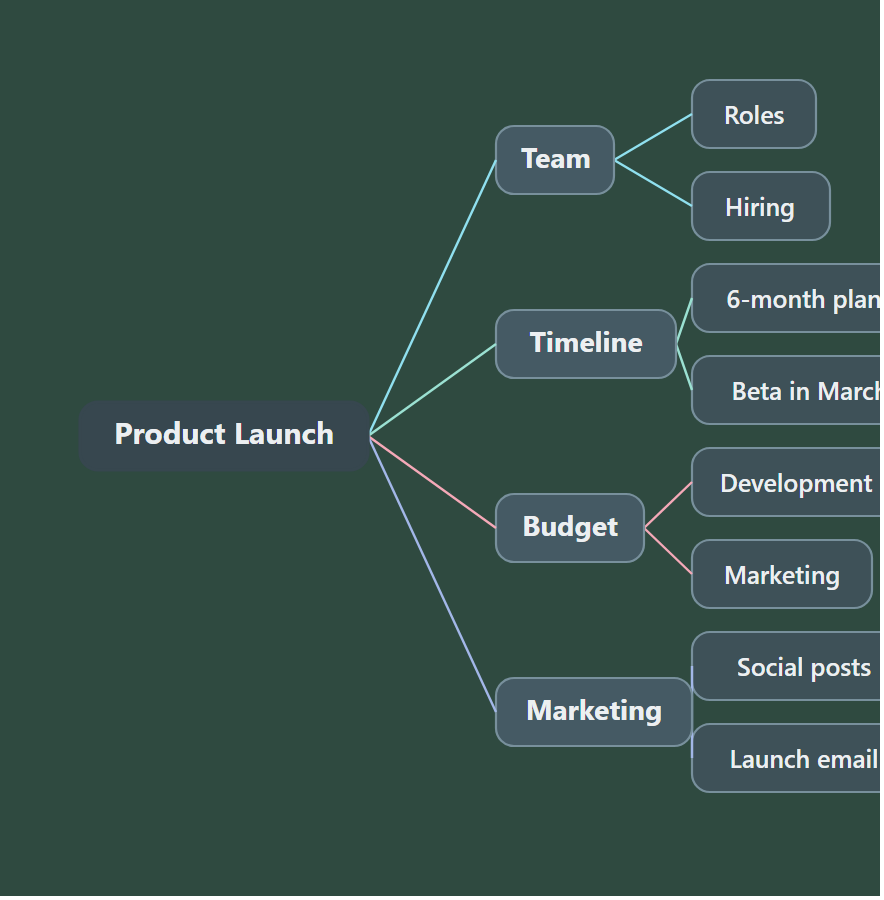
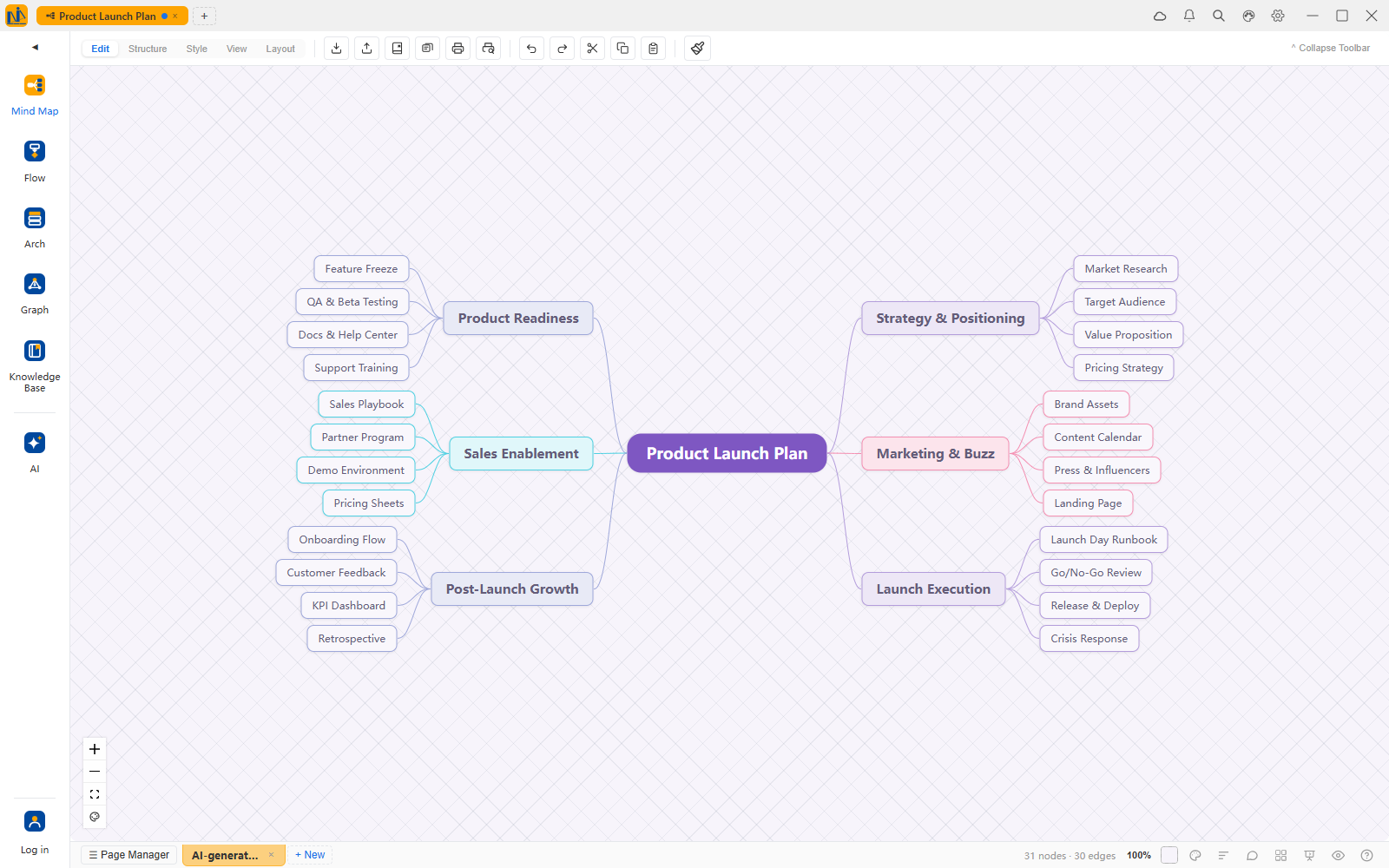
Install — pick your path
A skill is just a small folder with an instruction file. Drop it where your assistant looks for skills. All three paths do the same thing.
One command (recommended)
For machines with Node.js. The CLI auto-detects your installed assistants (Claude Code / Codex / Cursor…) and installs into them:
npx skills add memobrain/draw-diagramsNo Node.js? Path ② or ③ needs nothing.
DeepSeek Harness: zero config
DeepSeek Harness auto-discovers skills in ~/.agents/skills/. Drop the folder there (Windows: C:\Users\you\.agents\skills\):
git clone https://github.com/memobrain/draw-diagrams %USERPROFILE%\.agents\skills\draw-diagramsPrefer no git? Download the zip, extract into the same folder, name it draw-diagrams.
Manual drop-in
Assistants look in slightly different places; the common ones:
~/.claude/skills/draw-diagrams/~/.agents/skills/draw-diagrams/Rule of thumb: clone or unzip so that SKILL.md sits directly inside the skill folder.
How to use it
Open your assistant and type a prompt:
"Use draw-diagrams to turn these meeting notes into a mind map." "Redo it as a fishbone." "Same map, blackboard theme."
Only requirement: Python 3.8+ on the machine (the bundled script has zero dependencies).
Every run produces three things
The skill outputs live diagrams — structure lives in the file, looks are handled by MemoBrain's layout engine.
Preview (SVG)
A clean static image for docs, chats and slides. Pick from 9 themes at generation time.
Source file (.xdt)
MemoBrain's editable format — double-click or drag it in. Desktop data stays on your machine.
One-click web editing link
Opens the diagram in your browser, already laid out — edit text, add branches, switch between 25 layouts, export. Nothing to install. Editing is free; saving needs a free account; watermark-free export and AI features come with membership.
Structure-faithful
The skill turns your outline into a tree; placement is done by the layout engine. CJK text is measured by real glyph width — no overflow, no overlap, auto re-layout on edits.
9 themes · 25 layouts · CJK-native
Name one in your sentence, or let the AI pick by content.
Themes
Layouts (switchable anytime inside MemoBrain)
FAQ
New to agent skills? Start here.
What exactly is an "agent skill"?
SKILL.md inside and gains a new ability — drawing diagrams. Once installed you never mention the word "skill" again; just type a prompt like "turn this into a mind map."Which assistants does it work with?
SKILL.md convention: Claude Code, Codex, Gemini CLI, Cursor, and DeepSeek Harness (auto-discovered out of the box). Assistant not on the list? Try dropping the folder into its skills directory, or use the built-in AI in the MemoBrain web app.Is my content uploaded anywhere?
What does it cost?
How will I know when the skill updates?
npx skills add memobrain/draw-diagrams; git installs just git pull). You'll hear about it the next time you draw — no manual tracking.I don't use AI coding tools — can I still play?
Want a map right now, without installing anything?
MemoBrain's web app has built-in AI: one sentence generates mind maps, flowcharts and architecture diagrams — all editable.
Open app.memobrain.net →