MemoBrain,
you talk. it draws.

Mind maps, flowcharts, architecture diagrams, knowledge graphs and a knowledge base — five workspaces, one app.
You bring the idea — AI drafts 80%, you have the last word.

Local data·Works offline·Free to start

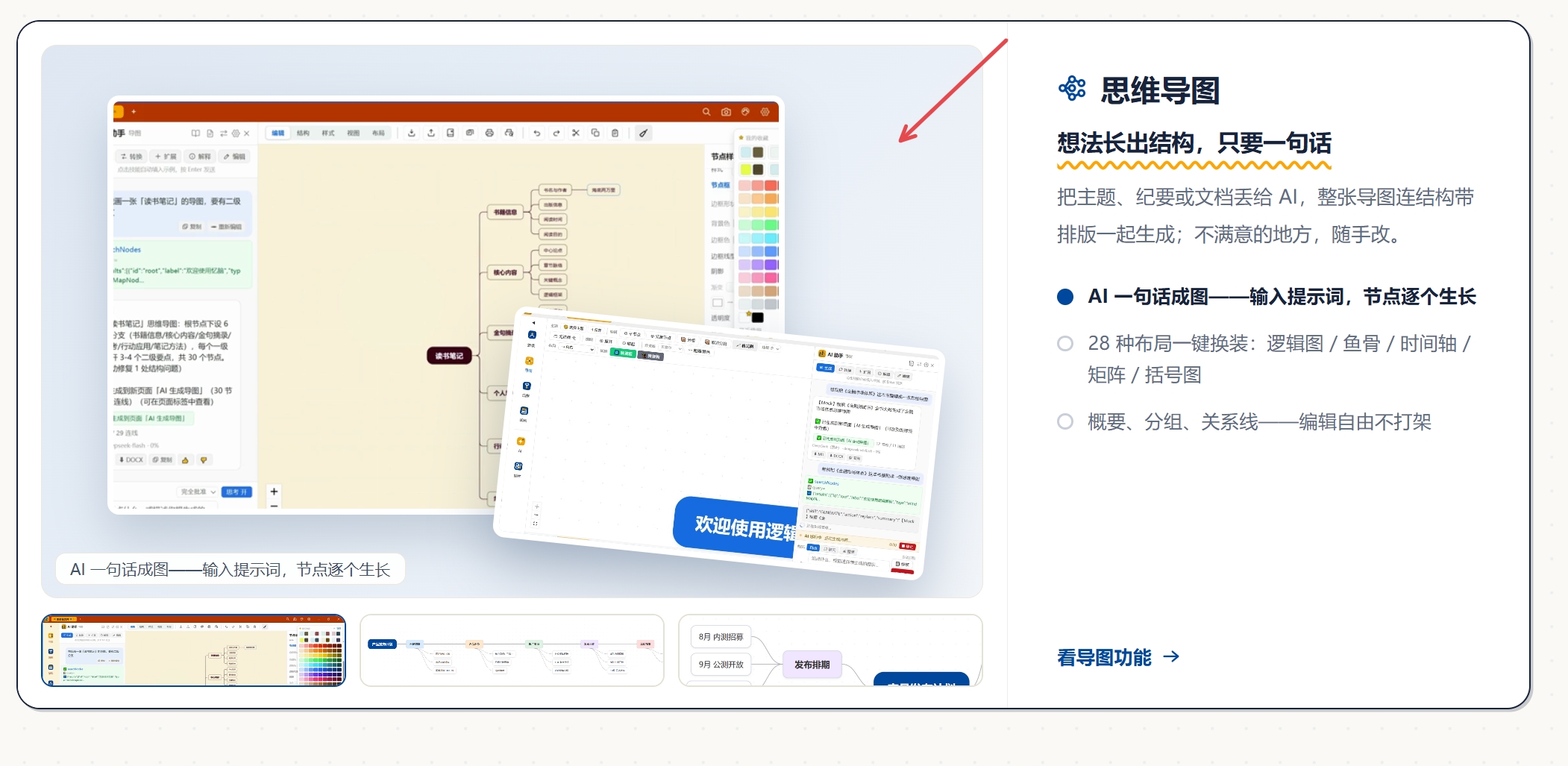
One sentence in, mind maps / flowcharts / architecture diagrams out — real diagrams you can freely edit, never a frozen picture.

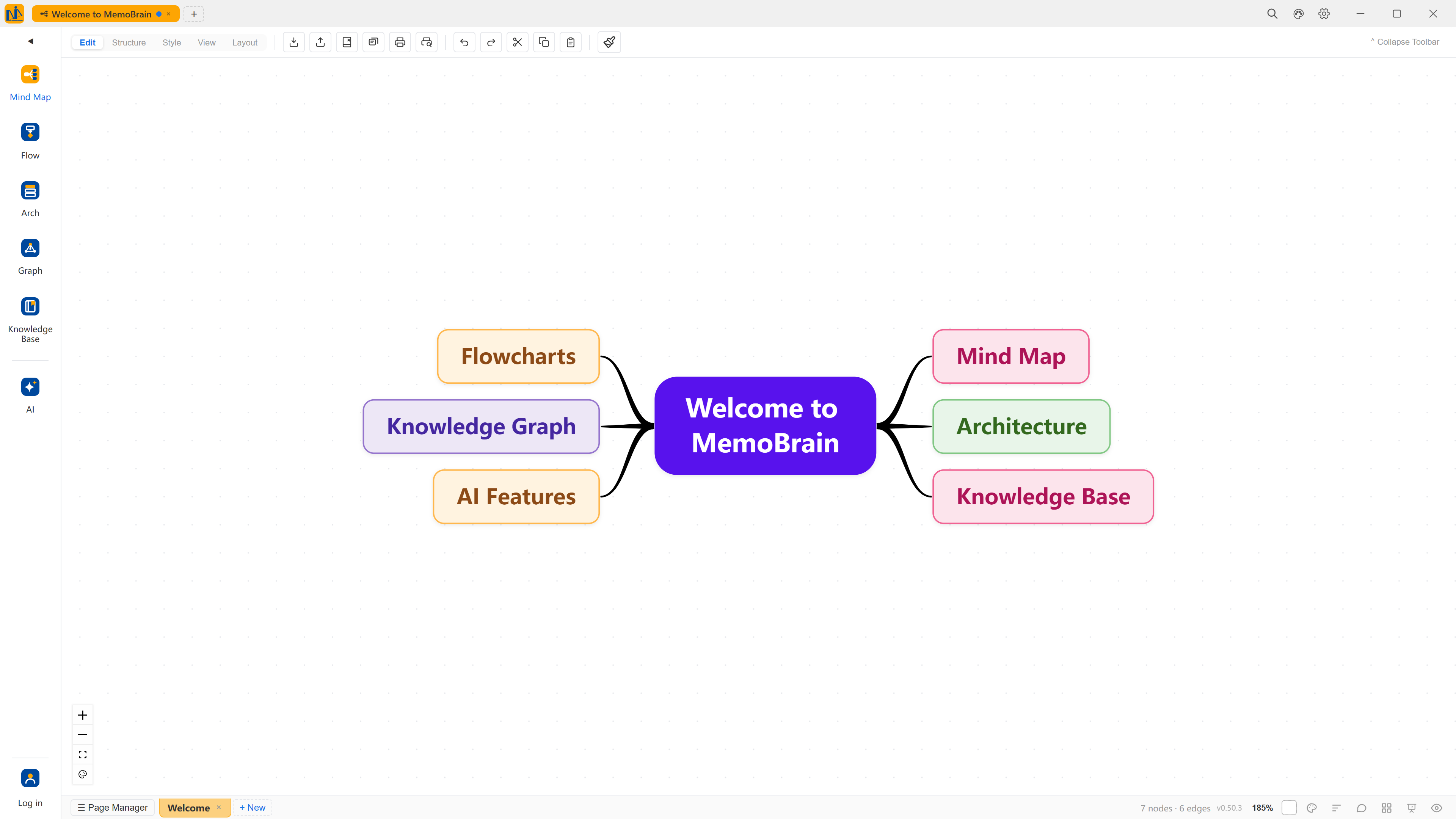
MemoBrain · Mind Map
The MemoBrain workspace map: a center welcome node with mind-map / flow / architecture workspaces, AI assistant, knowledge base and knowledge graph on the sides
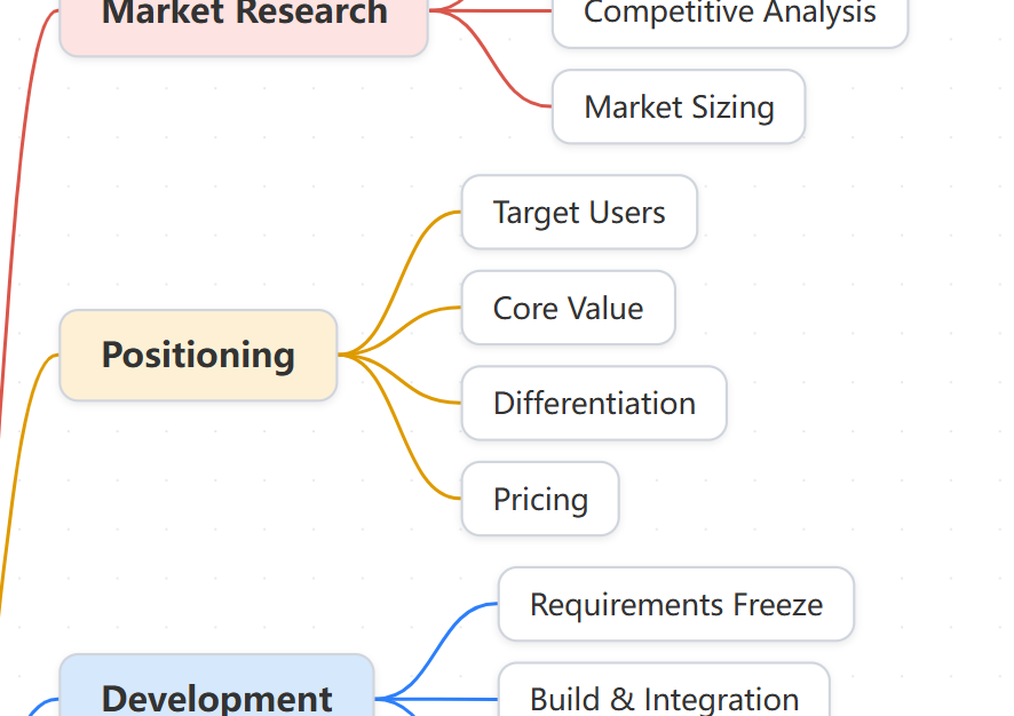
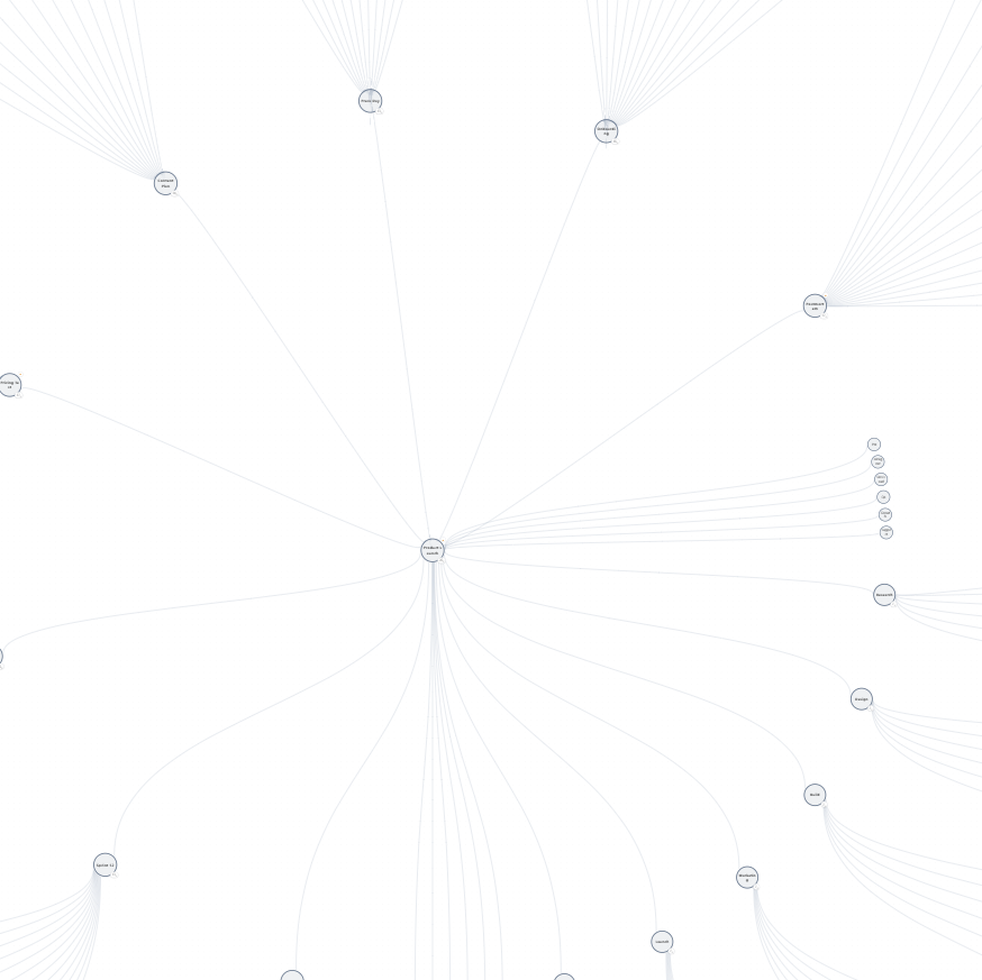
Canvas close-up: branch nodes and connectors
Nodes · connectors · one-click relayout
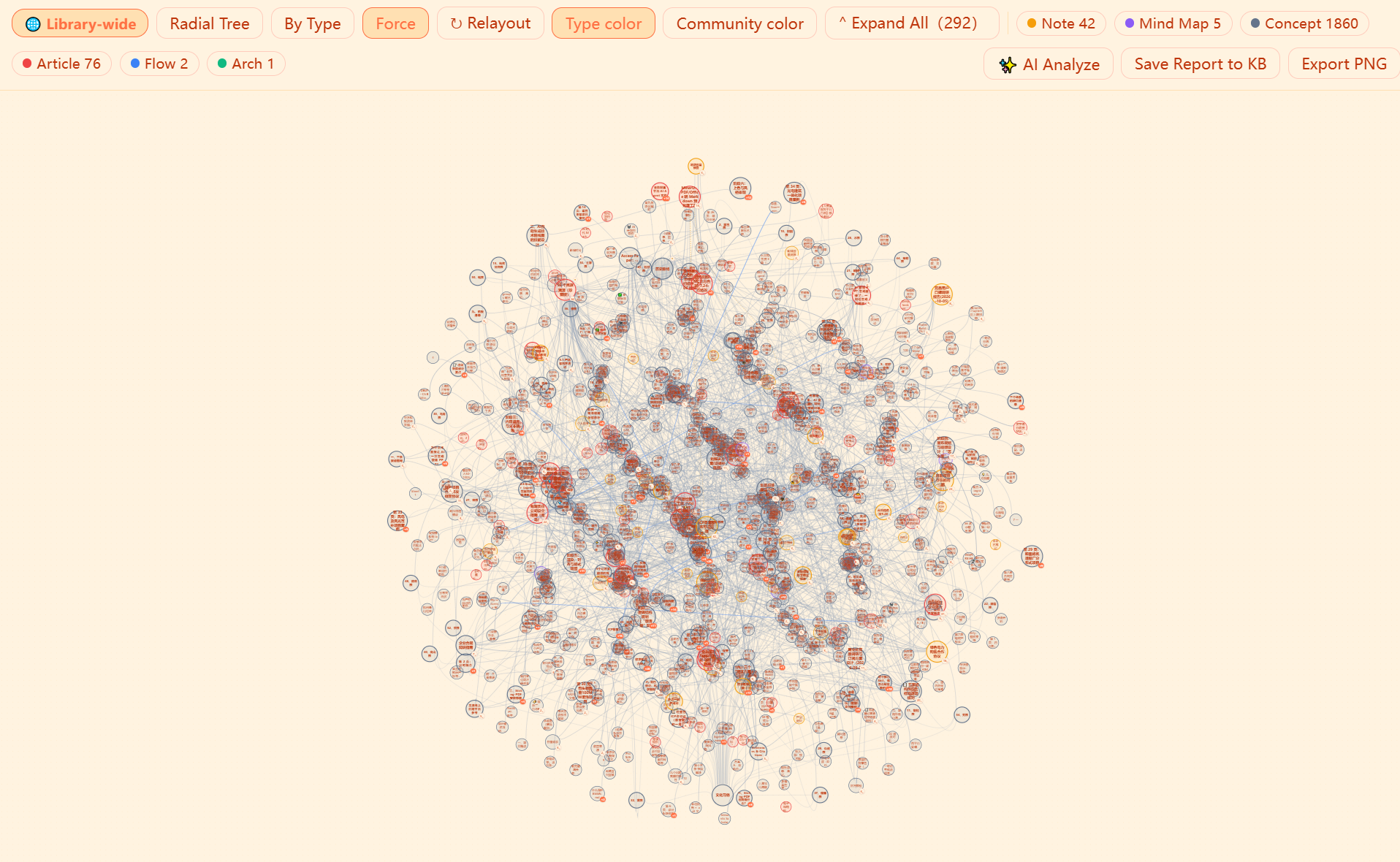
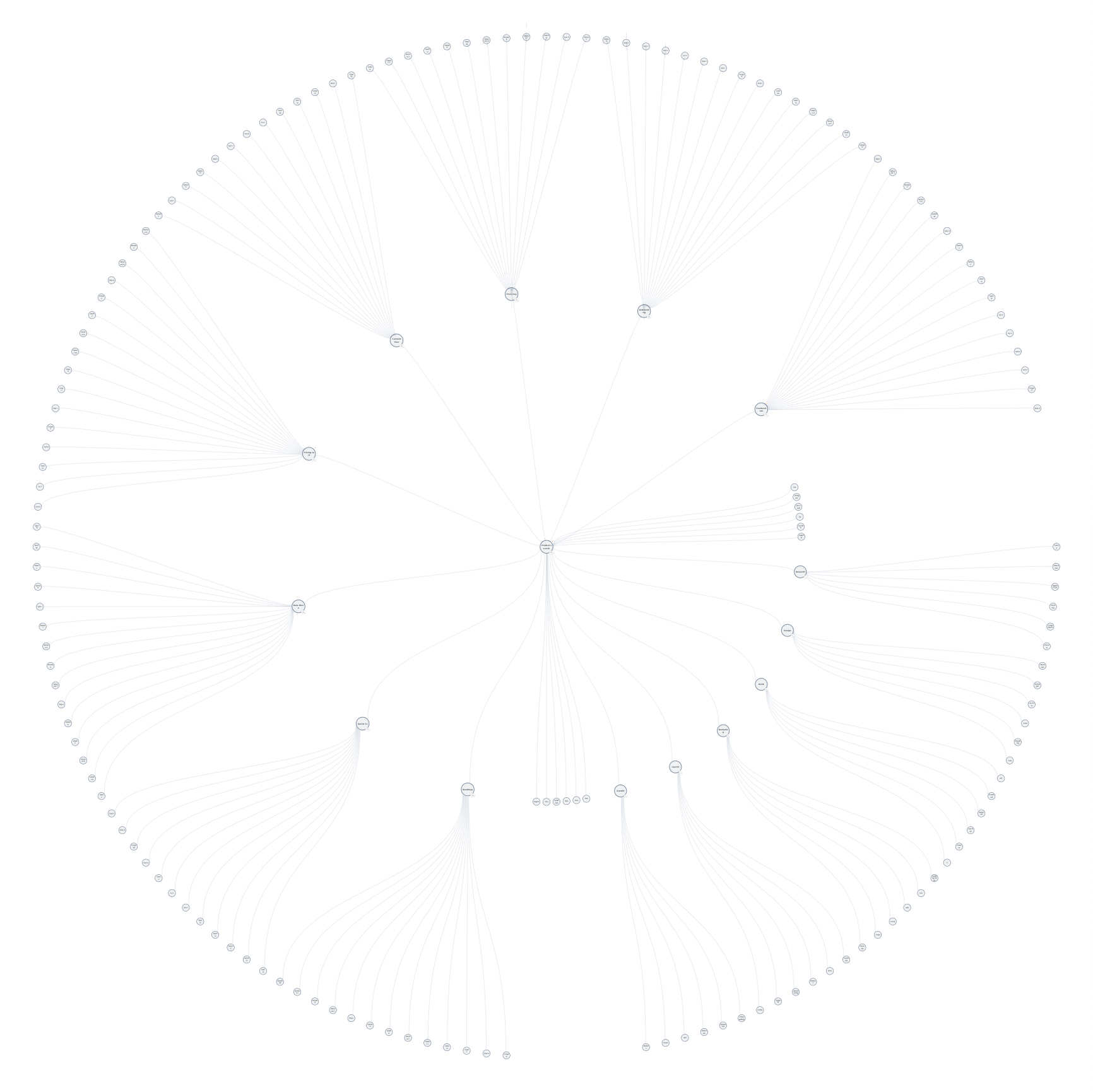
The whole-library graph: 1,986 entities woven into one dense web
Knowledge graph · auto-connected

You don’t draw anymore

One sentence to a deliverable diagram. Say it, watch it land, refine the rest.

1

You say one sentence

“Turn these minutes into a mind map.” “Draw a user sign-up flow.” — like briefing a colleague.
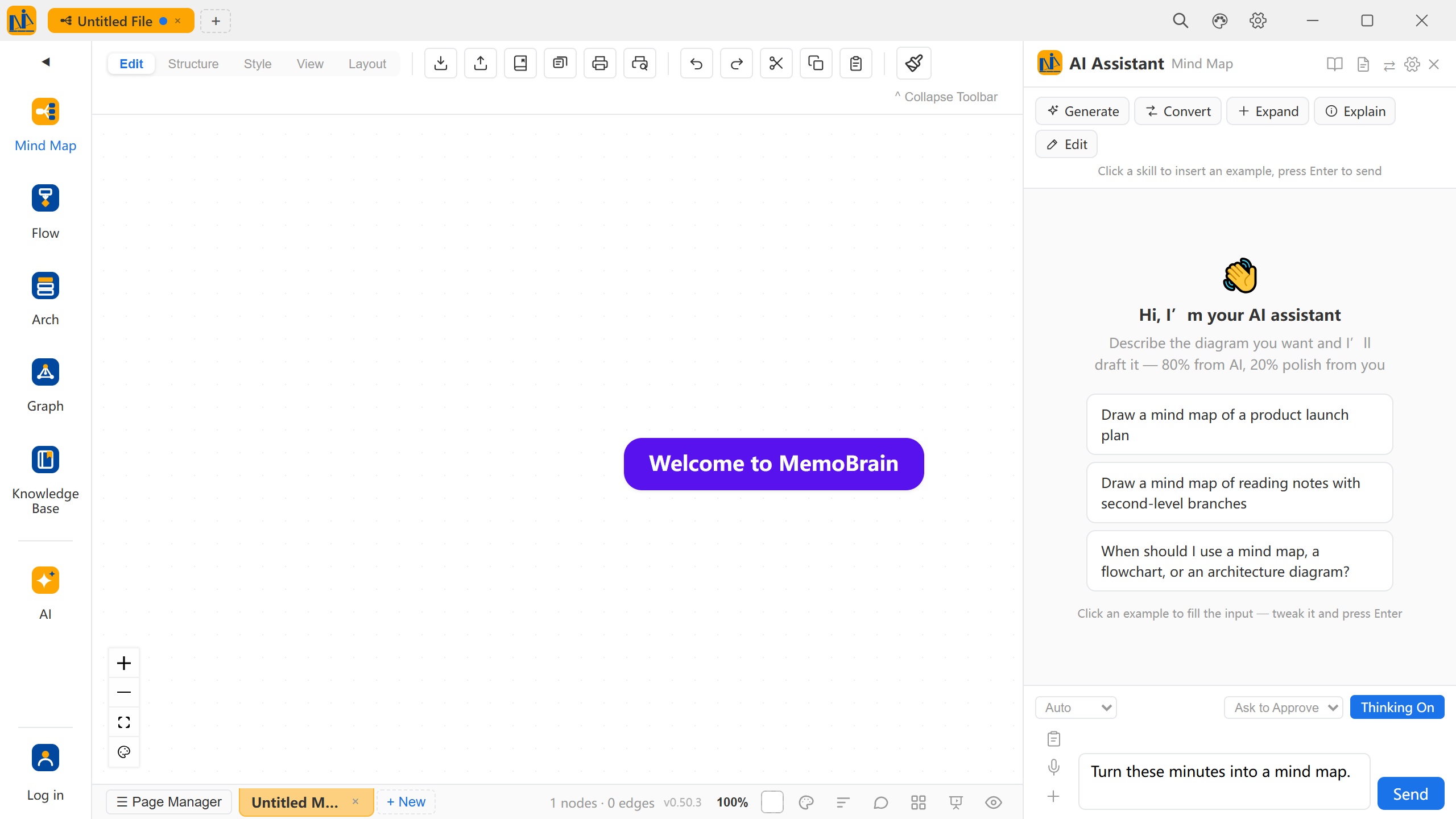
The AI assistant panel with the sentence typed — 'Turn these minutes into a mind map.' — skill chips and example prompts above, ready to send
2

AI delivers 80%

Structure, layout, connectors, colors — the whole draft in one pass.
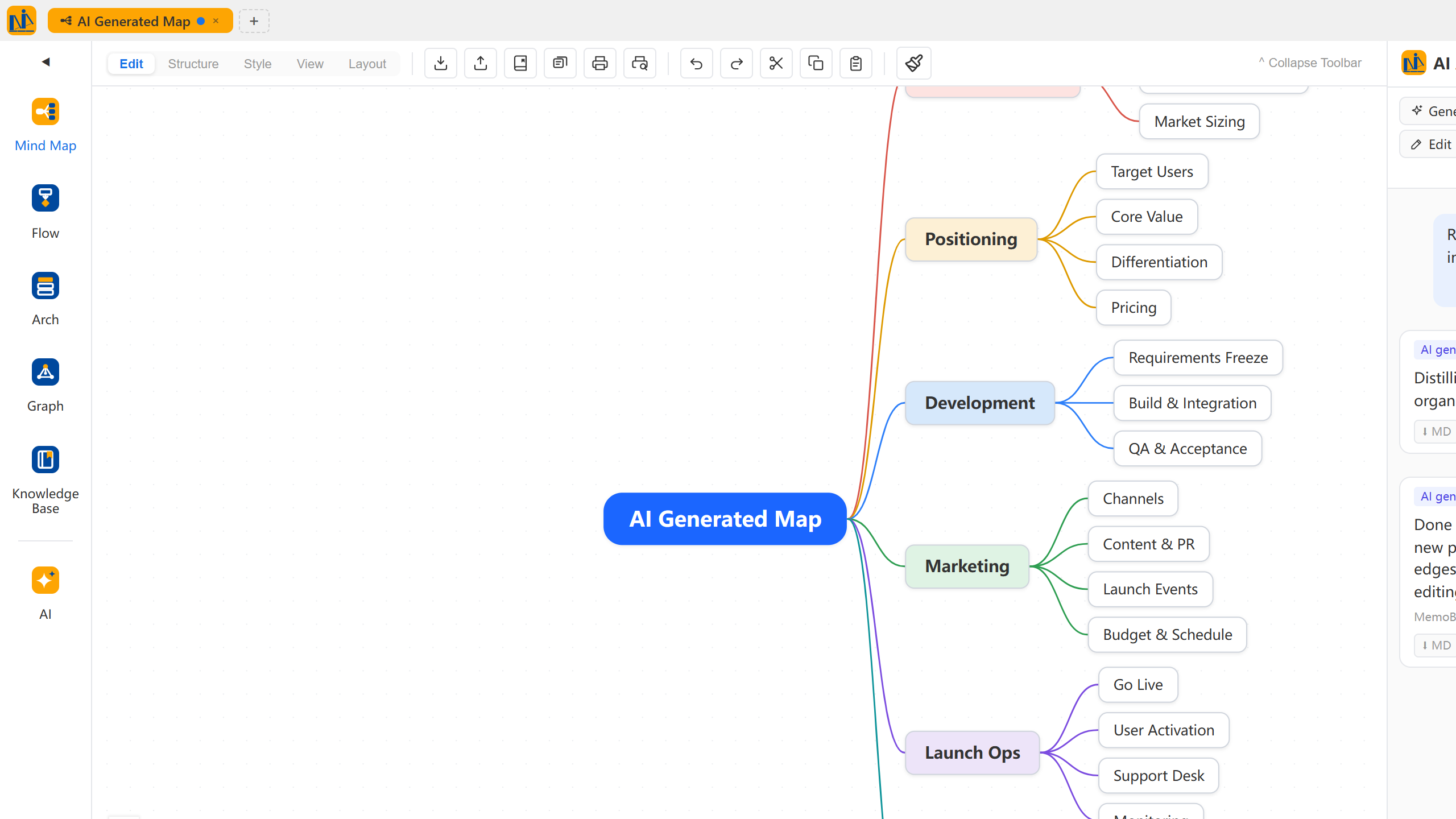
The complete AI-generated mind map
3

You refine 20%

Drag to restructure, click to reword — done in passing.

Canvas close-up: nodes and connectors, free to edit

Five workspaces. One brain.

The same knowledge, the same AI — not a bundle of five tools.

MemoBrain · AI Assistant
AI Assistant From one sentence to a knowledge base
01 Mind maps, flow, architecture — one sentence each

Auto layout · structure · connectors

Topics, minutes or documents all work as input — what lands on canvas is an editable diagram; keep chatting to refine it.

Explore AI features
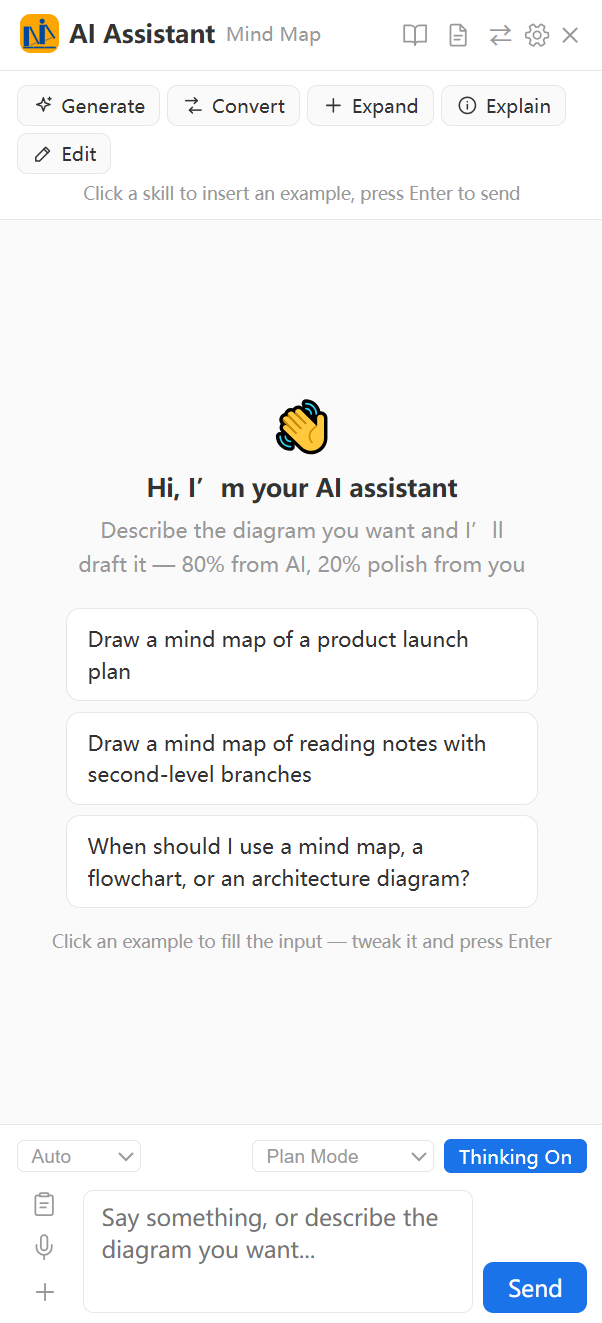
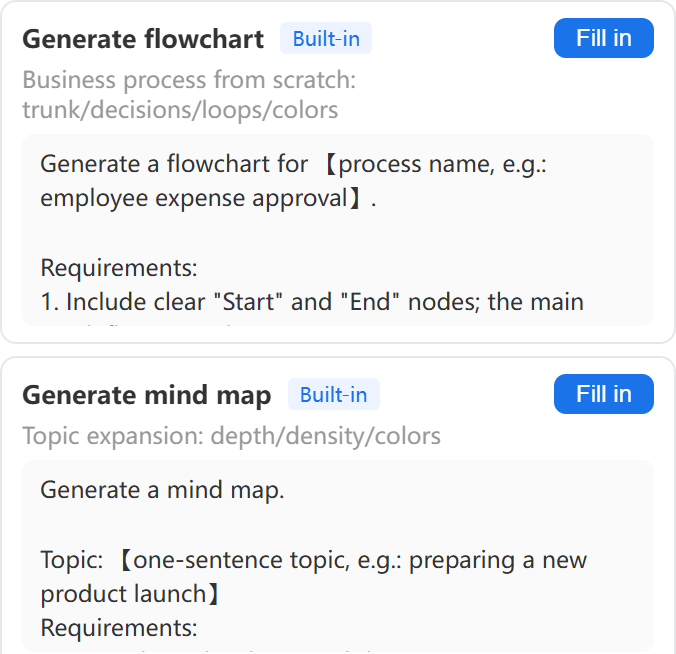
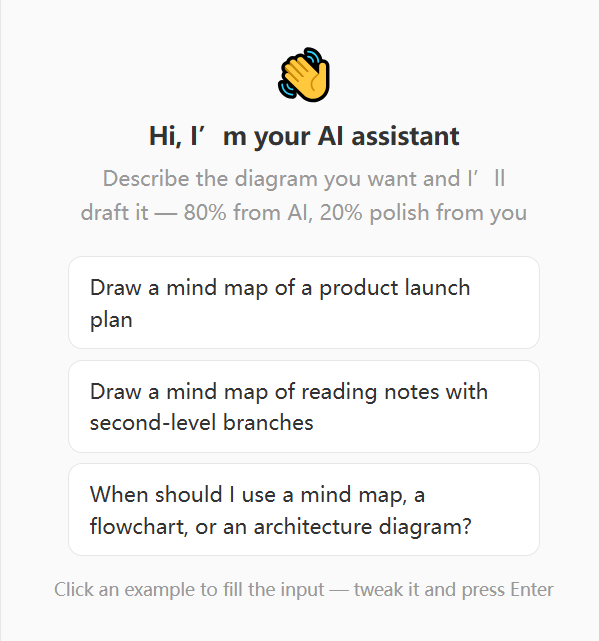
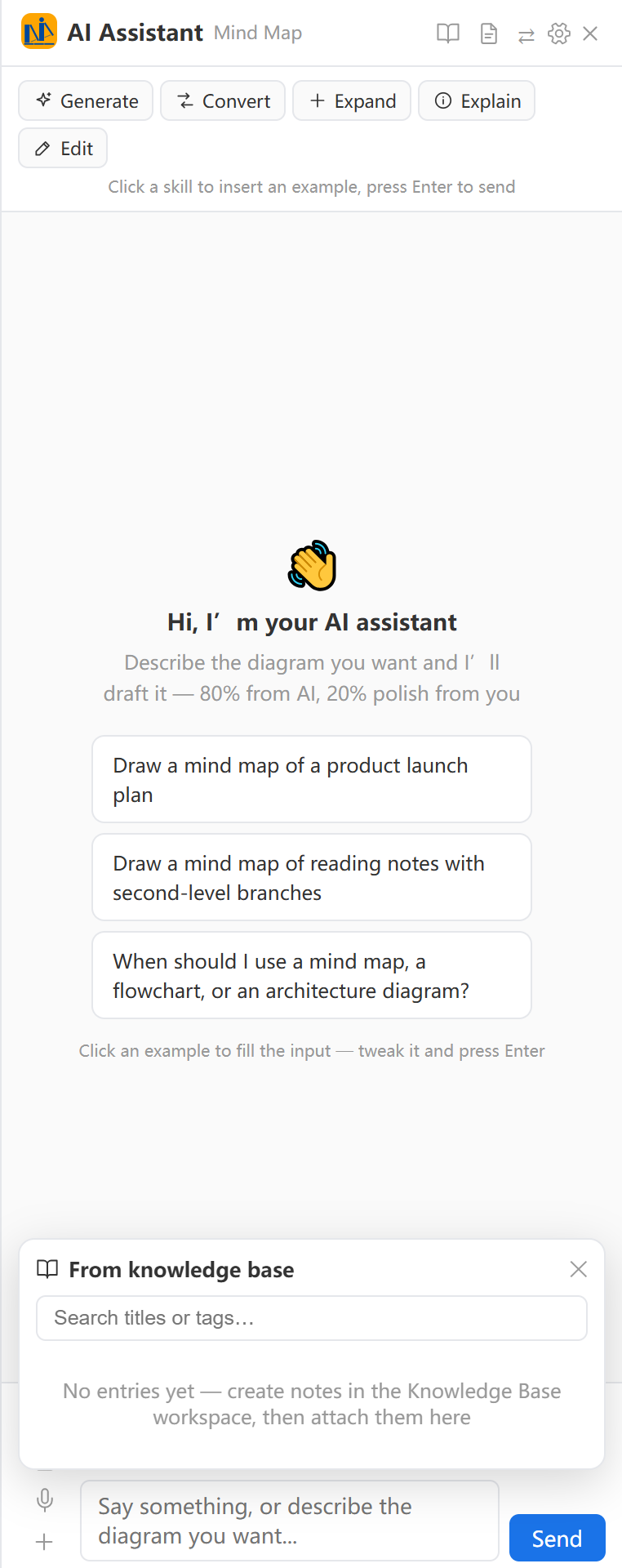
The full AI assistant sidebar: greeting, sample prompts, tool row and input area
Input template panel: one-click fill for flowchart and mind-map generation
AI assistant welcome panel: start from a sample prompt
AI Assistant From one sentence to a knowledge base
02 AI scheduled tasks, on duty

Tidy the library · write notes · generate on schedule · sync email

Runs on schedule; missed tasks auto-rerun at next launch. A snapshot is taken before any tidy-up — roll back the whole library if you disagree.

Explore AI features
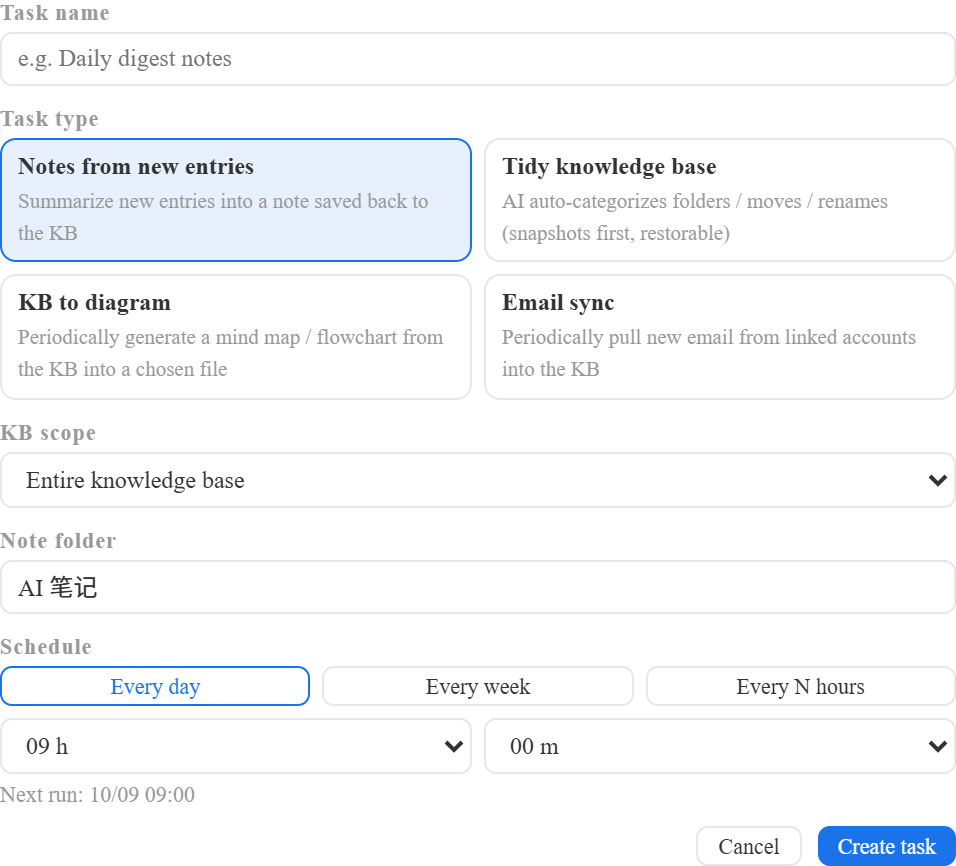
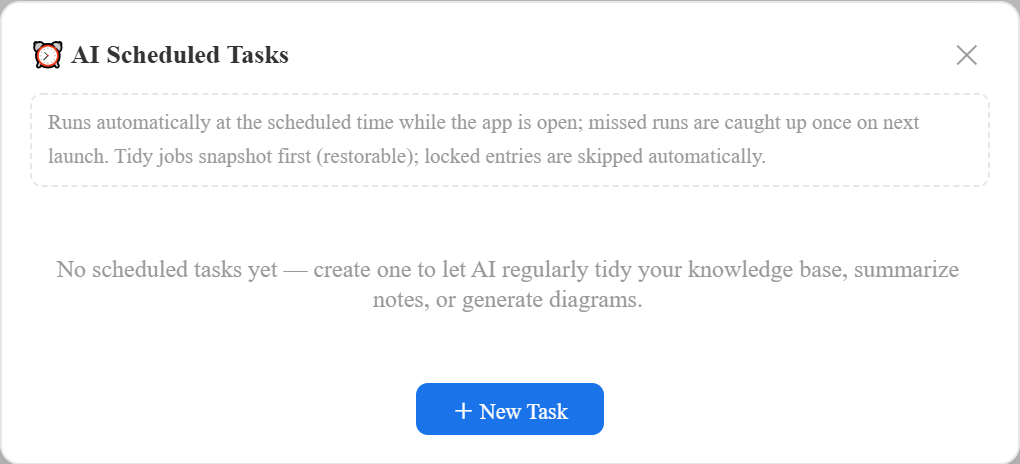
New scheduled task: name, six task types, library scope and plan
Scheduled-task panel: runs on time, auto-reruns misses, snapshots before tidy-ups
AI Assistant From one sentence to a knowledge base
03 AI deep reading, answers trace their source

Single doc · whole folder · cited answers

Deep-read one document into an outline, or an entire folder into a system; answers cite library entries and trace back to their sources.

Explore AI features

AI deep reading in progress: a textbook split into 40 sections, stoppable anytime
Pick from the knowledge base: check folders to cite
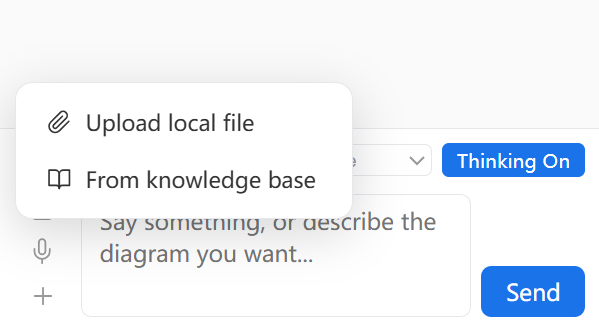
Attachment menu: upload local files or pick from the knowledge base
MemoBrain · Mind Map
Mind Maps One tree, 29 layouts
01 One-click layout switching

Fishbone · timeline · matrix · quadrant · dual-flow

Same content, new perspective — structure and content fully preserved.

Explore mind maps
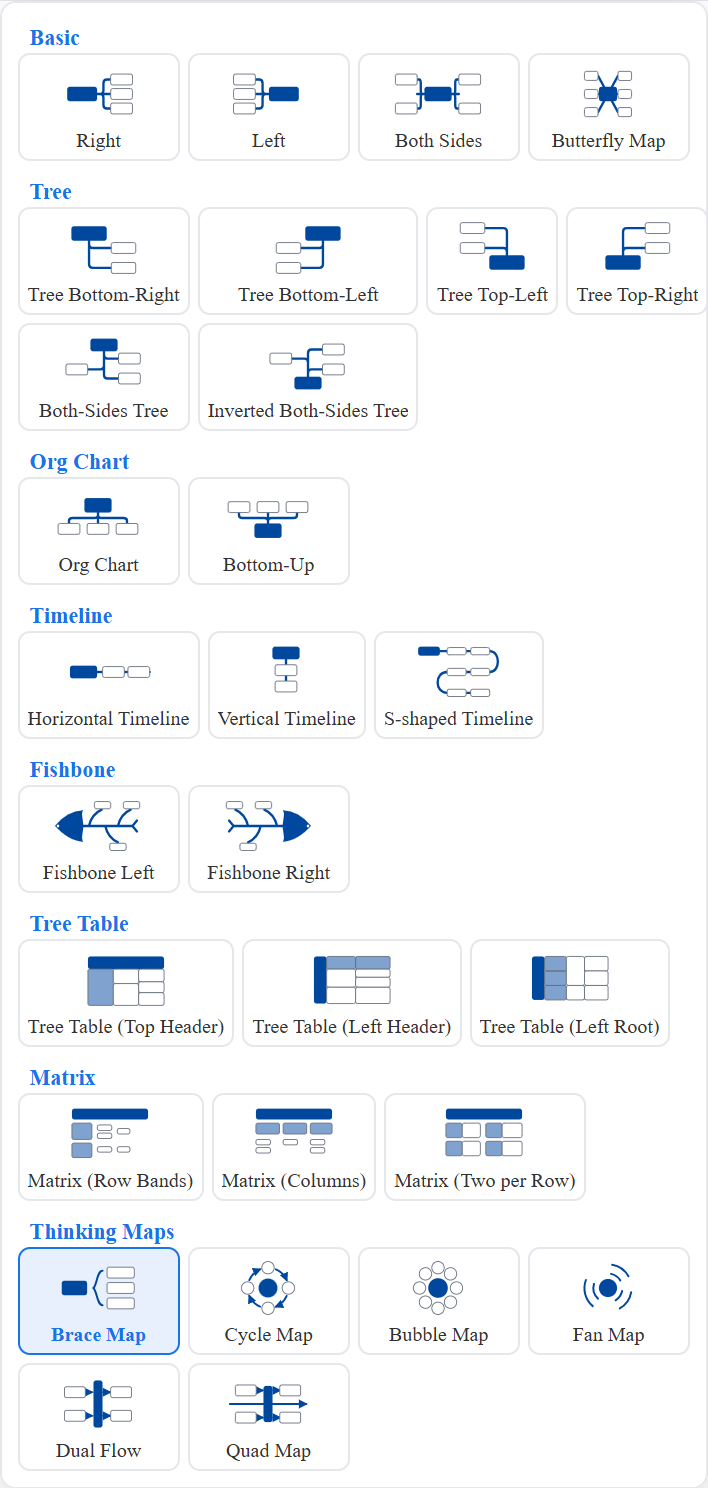
Layout picker: 29 layouts grouped into basic / tree / org / timeline / fishbone / tree-table / matrix / thinking-map families
29 layouts
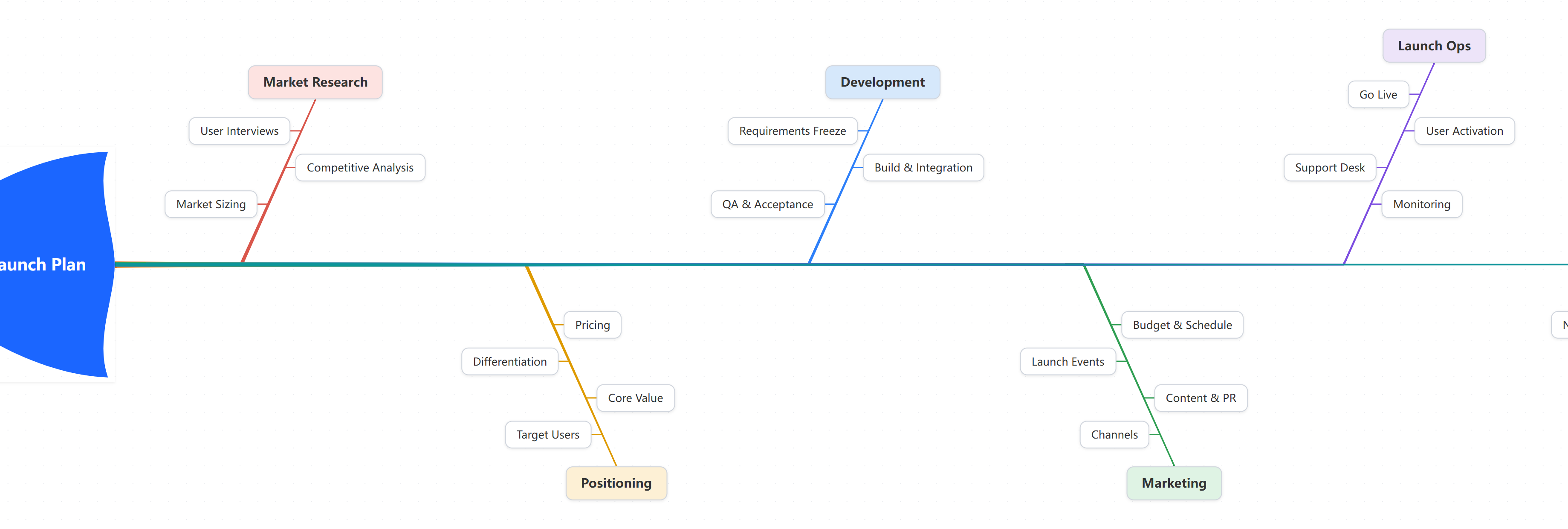
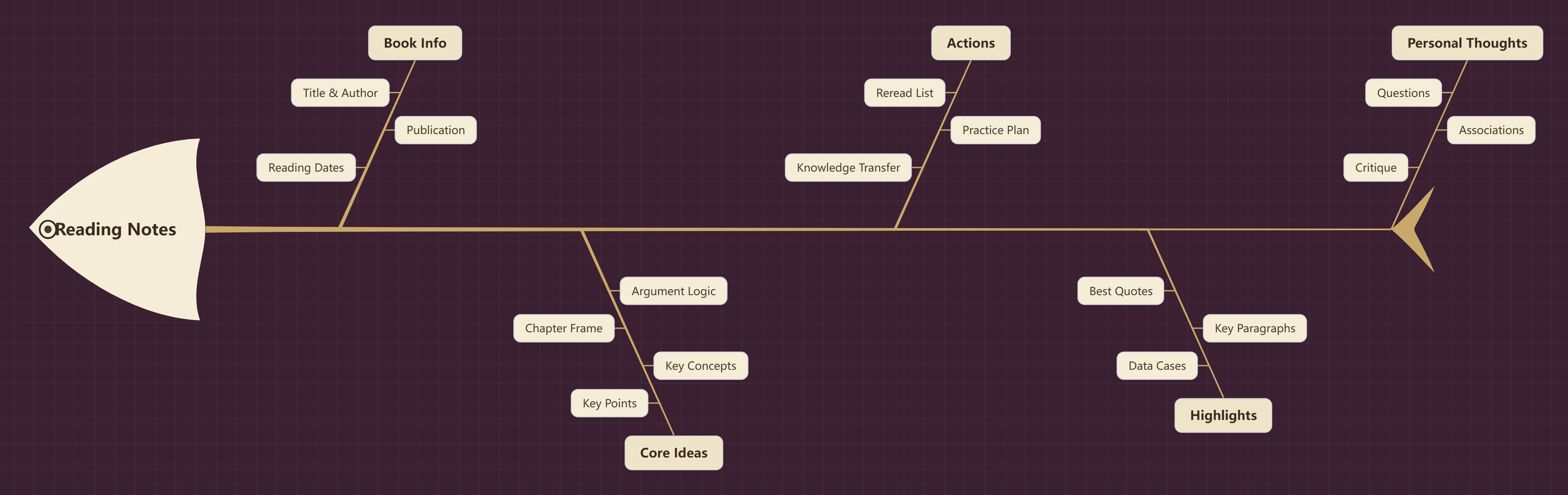
The same map as a fishbone layout
Fishbone
The same map as a timeline layout
Timeline
Mind Maps One tree, 29 layouts
02 Nodes are documents

Code · formulas · tables · images

Highlighted code and typeset formulas live inside nodes — the mind map doubles as notes.

Explore mind maps
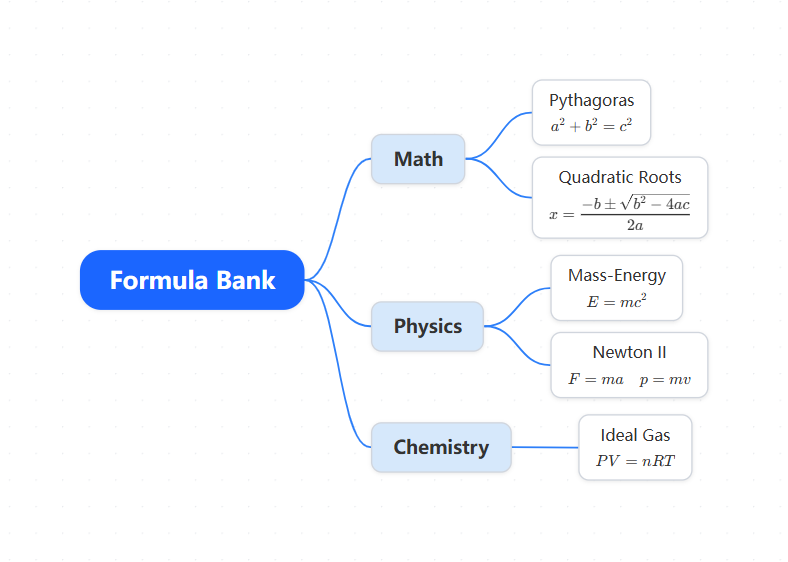
Formula canvas: math, physics and chemistry typeset inside nodes
Mind Maps One tree, 29 layouts
03 8 stroke sets, 8 theme packs

Sketch · pencil · marker · chalk · brush

Strokes and canvas themes switch page-wide in one click; exports match the canvas.

Explore mind maps
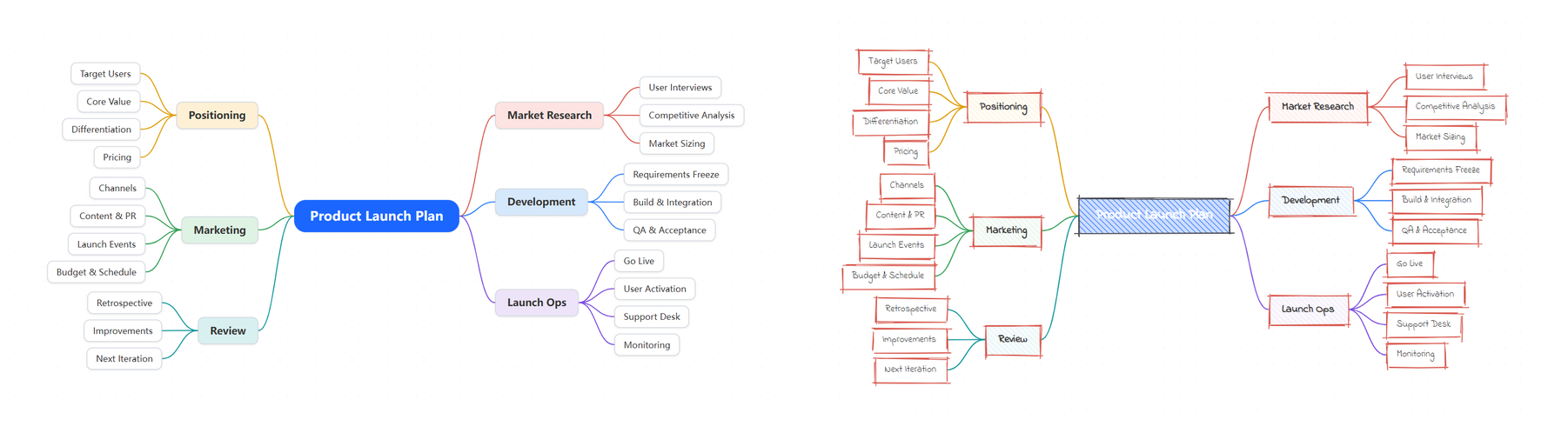
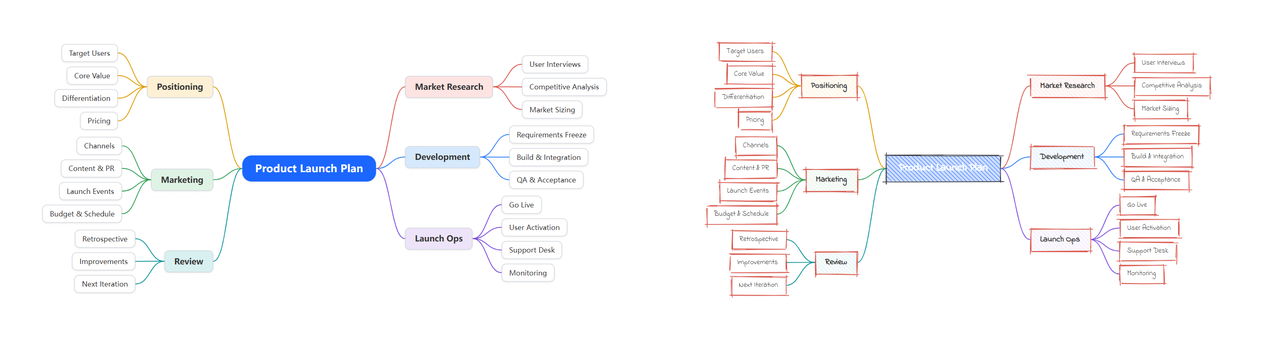
The same product-launch map: rounded-card style vs hand-drawn strokes, one click apart
MemoBrain · Flowcharts
FlowchartsBranches and loops auto-arranged, zero line crossings
01One-click tidy-up, zero crossings

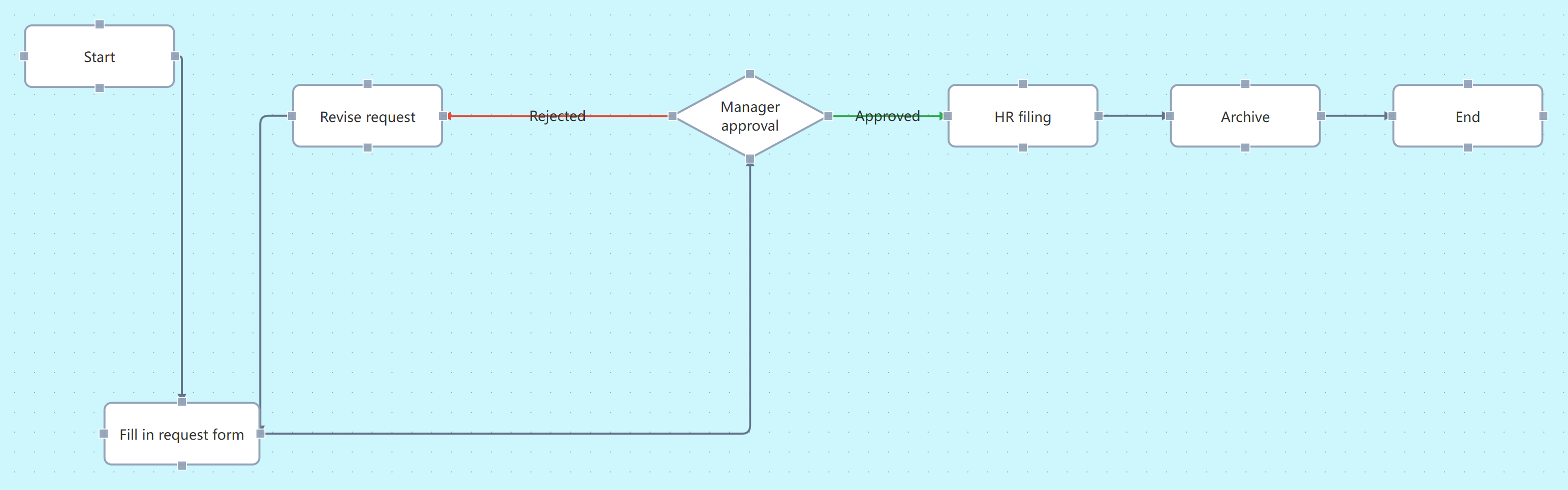
Trunk aligned · branches leveled · loops routed

Even rough sketches become clean engineering diagrams; hand-arranged layouts keep their places.

Explore flowcharts
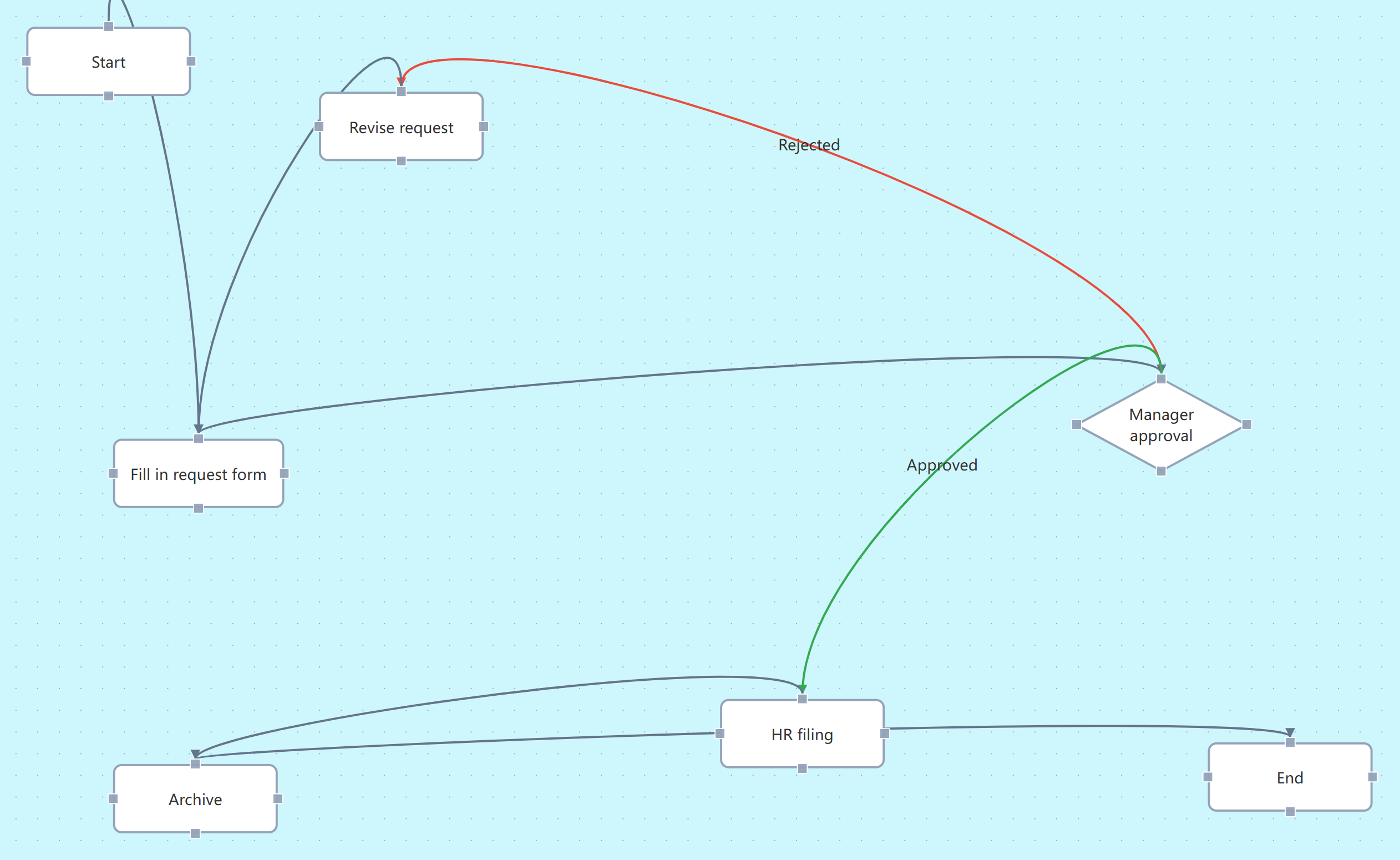
Hand-arranged draft: scattered nodes, crossing lines
Before
After tidy-up: aligned trunk, anchored ports, orthogonal lines with zero crossings
After tidy-up
FlowchartsBranches and loops auto-arranged, zero line crossings
02172 shapes, all in

Basic · swimlane · BPMN · state machine · line family

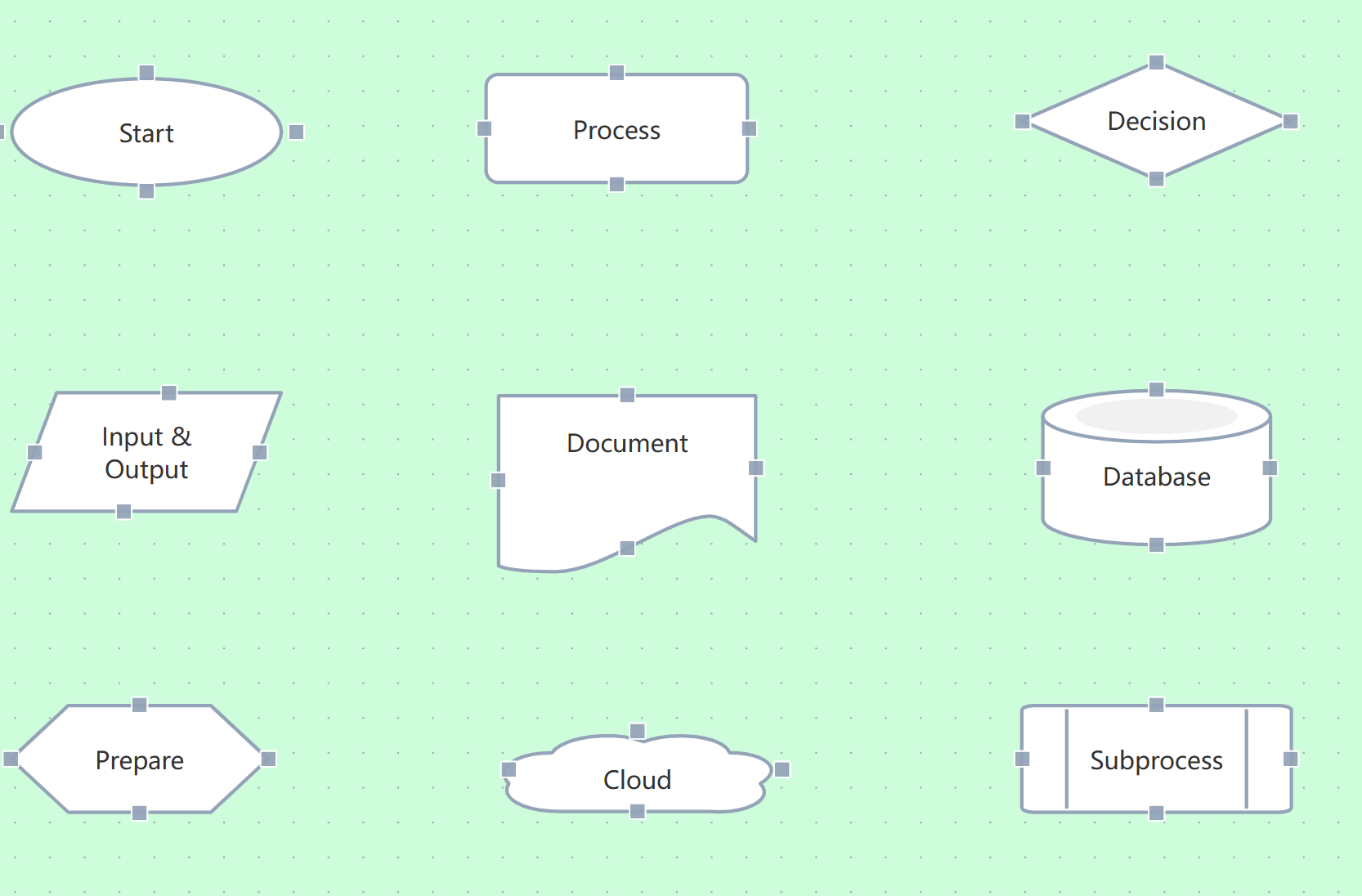
Common shapes are one click from the sidebar; search the shape library for the rest.

Explore flowcharts

Shape library panel: categories and search
Shape library
Common shapes on canvas: terminator, process, decision, IO, document, database, cloud, subprocess
FlowchartsBranches and loops auto-arranged, zero line crossings
03Creative templates, ready on drop

S-curve · cycle · pin-road · snake — 9 in all

Finished layouts land on canvas with stickers and connectors pre-arranged; a skeleton library provides trunks and branches on demand.

Explore flowcharts
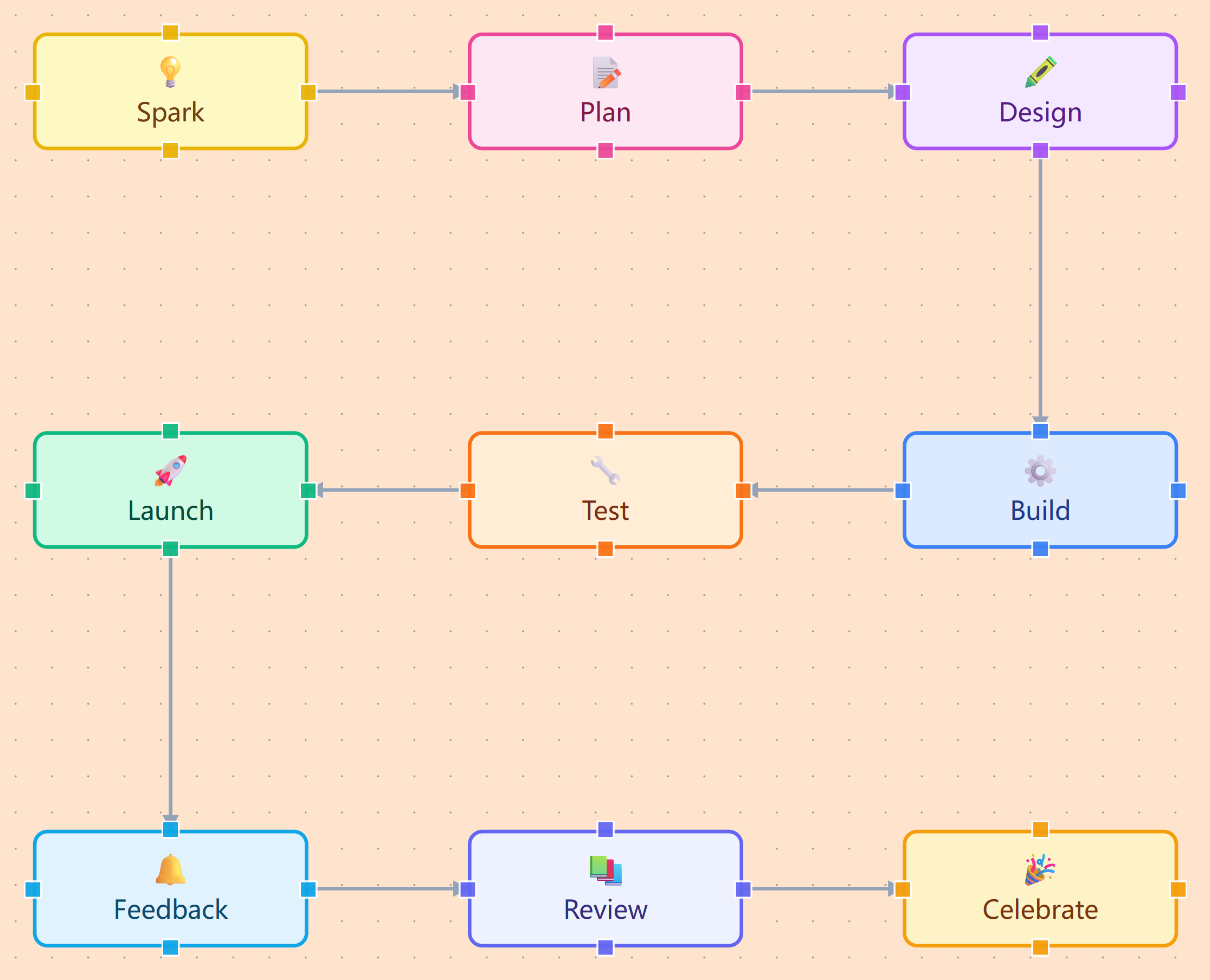
Creative template: an S-curve product journey lands on canvas, sticker nodes in a snake layout
MemoBrain · Architecture
ArchitectureStructure and data, one diagram
01Containers & layered layout

Layered containers · swimlanes · sequence · titled matrix

Components live inside containers and move with them; titled matrices in 2×2 or 3×3, layered layout in one click.

Explore architecture
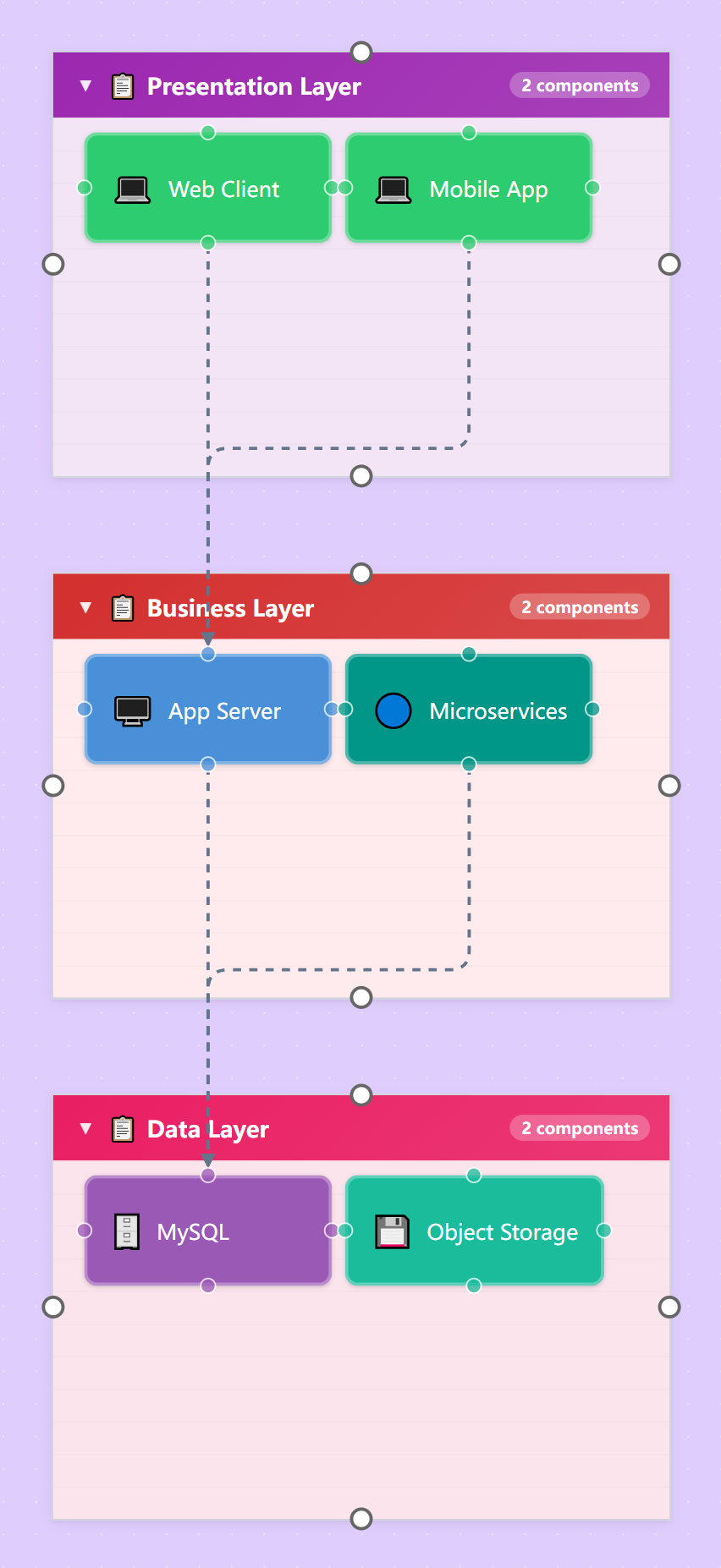
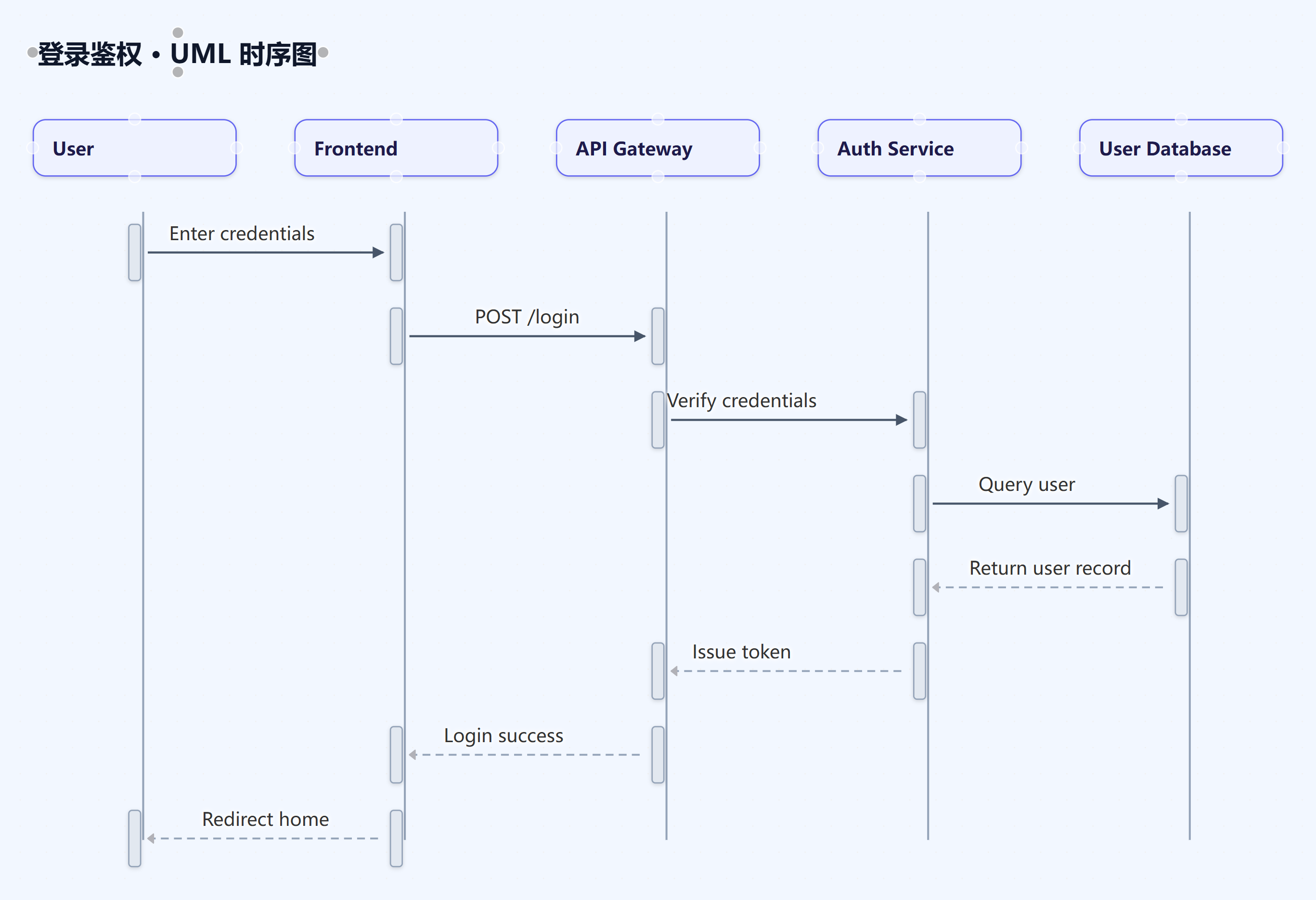
Layered architecture: three container tiers, components in place
Layered
Sequence diagram: participant cards and message round-trips auto-arranged
Sequence
ArchitectureStructure and data, one diagram
02Scene-level generation, full diagrams

Layered / swimlane / sequence / roadmap / deployment

Not a blank canvas to assemble — name the scene and a whole structure arrives with containers, connectors and labels.

Explore architecture
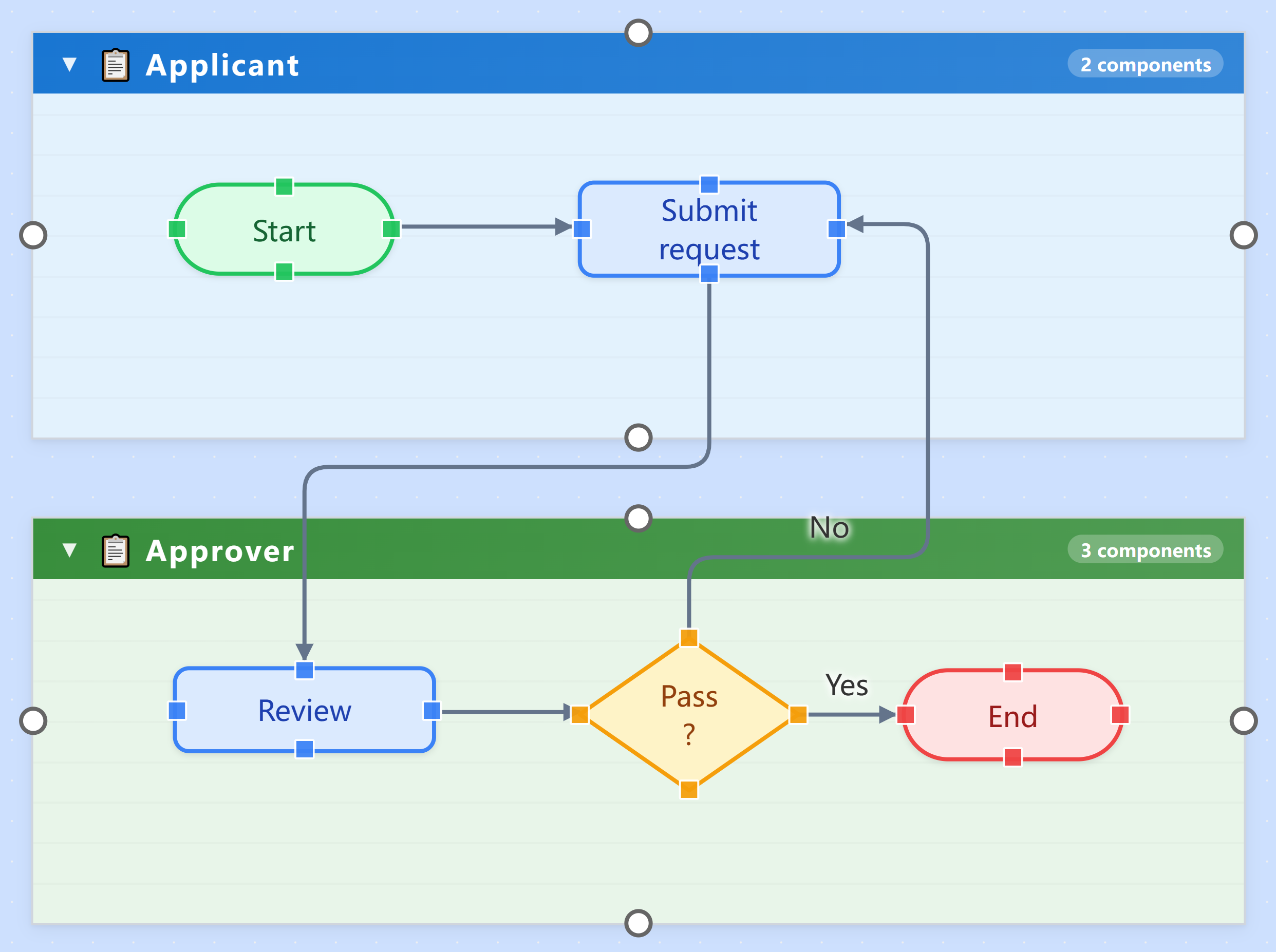
Swimlane flow: requester and approver in lanes, components grouped, hand-offs vertically aligned
ArchitectureStructure and data, one diagram
03Charts and architecture, one diagram

Pie · bar · line · KPI cards · gauges · butterfly

Data charts embed right on the canvas — architecture and data in one picture; plus a 75-piece combo library that inserts as groups you drag and scale whole.

Explore architecture
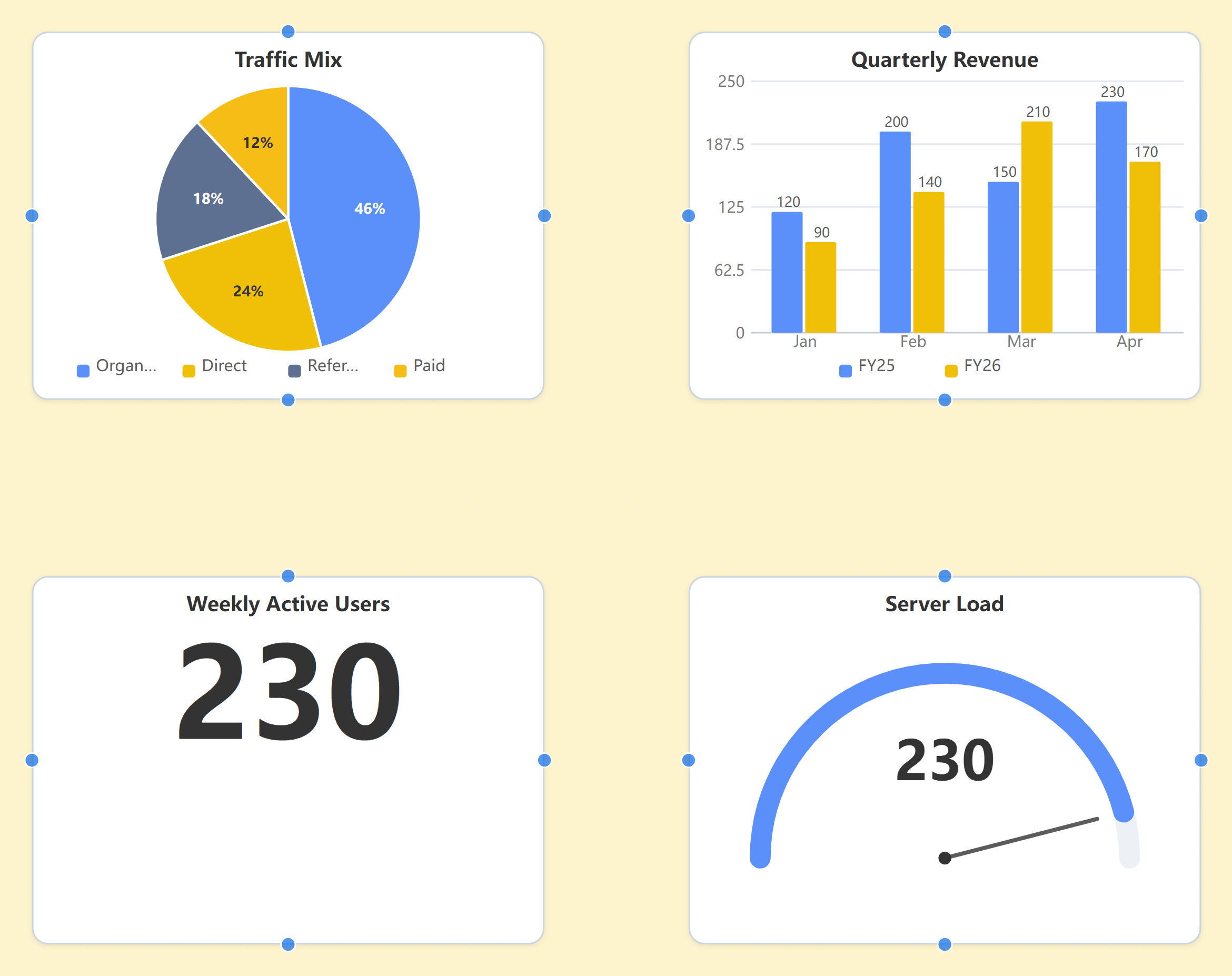
Chart widgets: bar, pie, KPI cards and gauges on the architecture canvas
MemoBrain · Knowledge Base
Knowledge BaseEvery source, one place
0113 formats, 8 ways in

Word · PDF · web clips · email · canvas diagrams

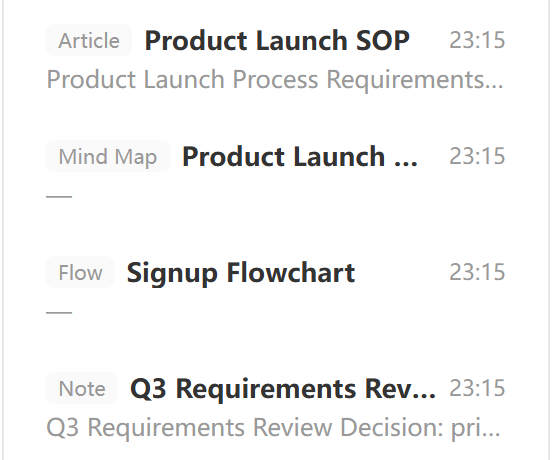
Every source lands in one library, auto-filed and tagged; diagrams from all three canvases save in too — back on canvas anytime.

Explore the knowledge base
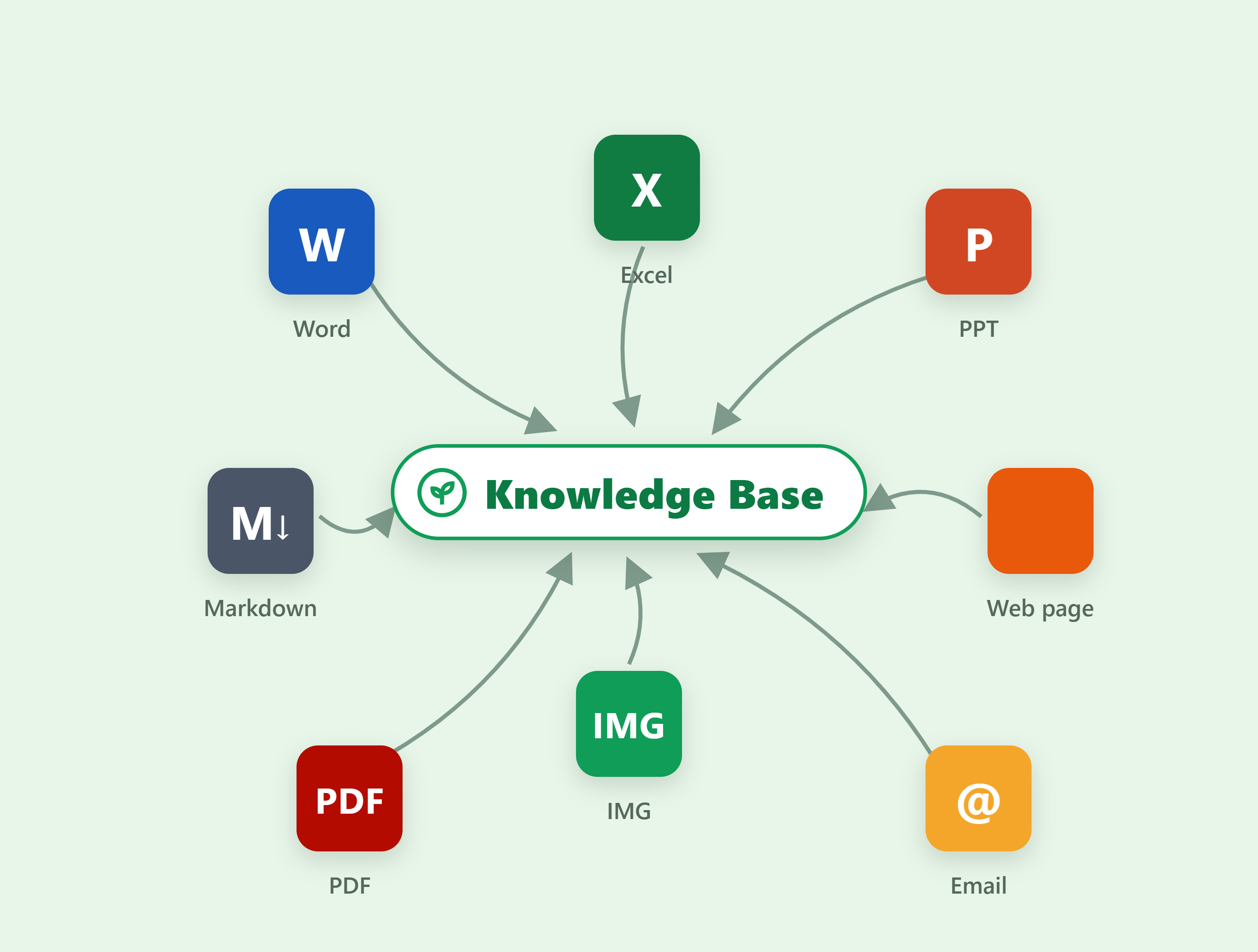
Multi-format import: Word, Excel, PPT, PDF, Markdown, web, image and mail icons arcing into the central library node
Multi-format import
Entries auto-filed into folders with tags
Auto-filed & tagged
Knowledge BaseEvery source, one place
02Entries as standard Markdown

WYSIWYG · source mode · full-text search

Stored as plain .md any editor can open; rich-text and source modes switch freely, with tags and full-text search.

Explore the knowledge base
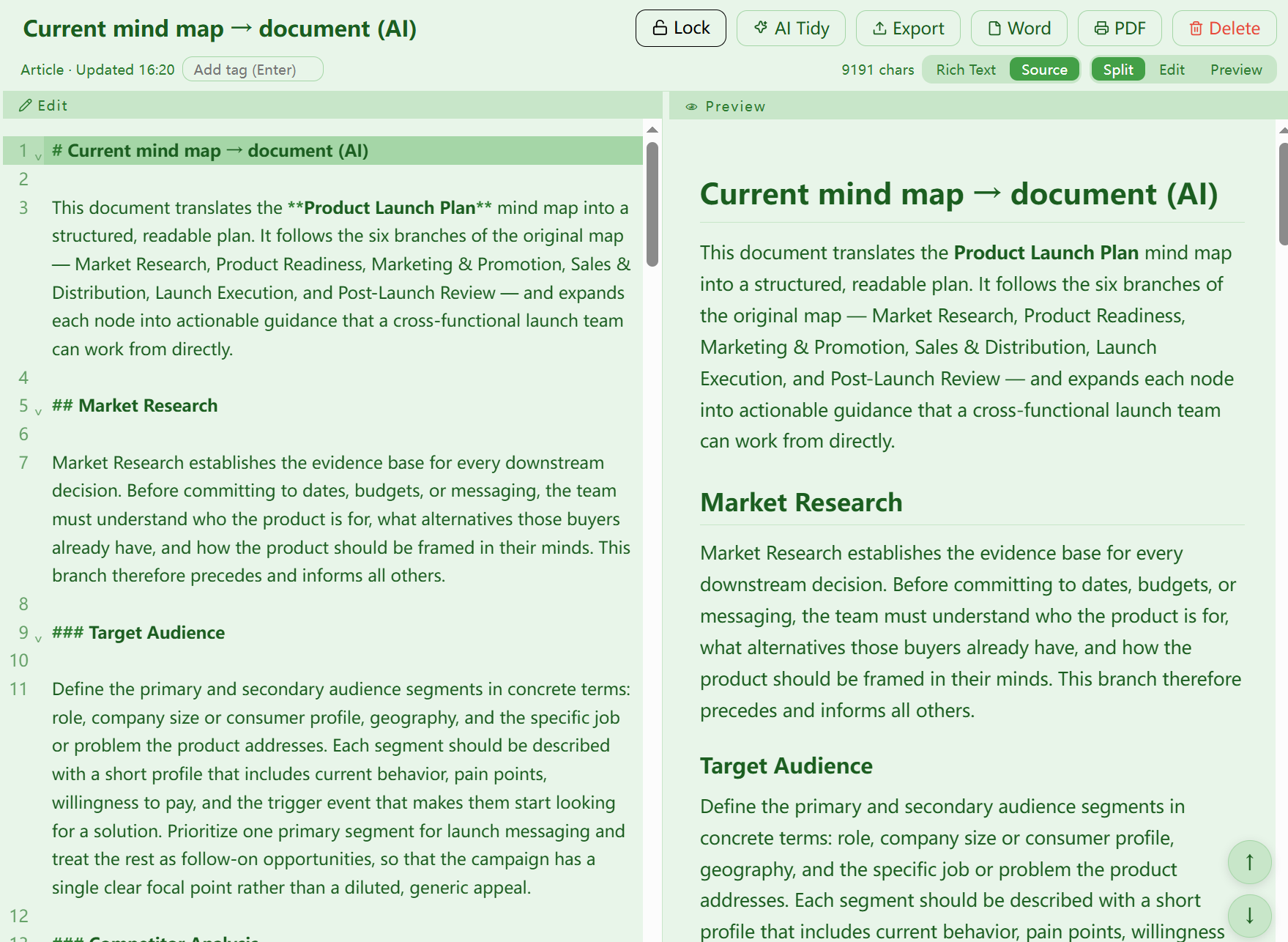
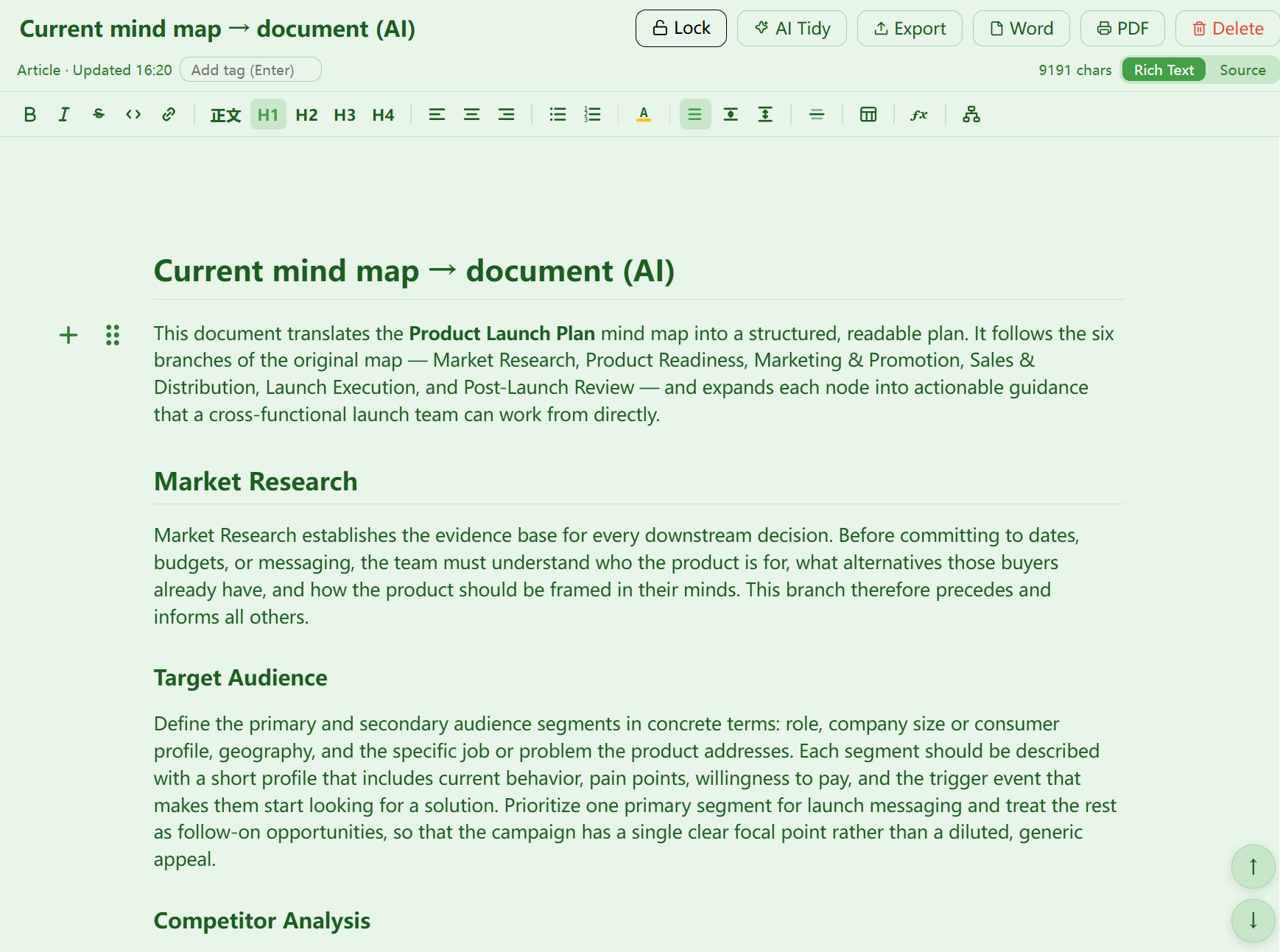
Source mode: raw Markdown with a live split preview
Rich-text mode: WYSIWYG editing with a floating toolbar
Knowledge BaseEvery source, one place
03Local storage, private by design

Local-first · folder/global locks · one-click export

Data stays on your machine by default, with protection locks for sensitive content; export backups anytime — and AI chat can cite the library.

Explore the knowledge base

One-click export: the entry toolbar offers .md, Word, PDF, locking and AI tidy-up
One-click export · .md / Word / PDF
Knowledge-base locks: read-only locks AI edits, import locks block clips, email and web scraping
Protection locks · read-only / import
MemoBrain · Knowledge Graph
Knowledge GraphKnowledge takes shape
01Whole-library graph, auto-built

Entity-relation extraction · rules + AI

As notes accumulate the graph grows; every relation traces back to its source entry.

Explore the knowledge graph
Whole-library graph, 1986 entities: a force-directed web colored by type — notes, maps, concepts, articles, flows, architecture — with relayout, expand-all, AI analyze and PNG export on the toolbar
Library-wide · 1986 entities
Knowledge GraphKnowledge takes shape
02Topic graphs & AI lookups

Circle a topic for a subgraph · find paths · explain relations

Graph answers carry source excerpts; AI reads them back before answering — every conclusion checkable.

Explore the knowledge graph
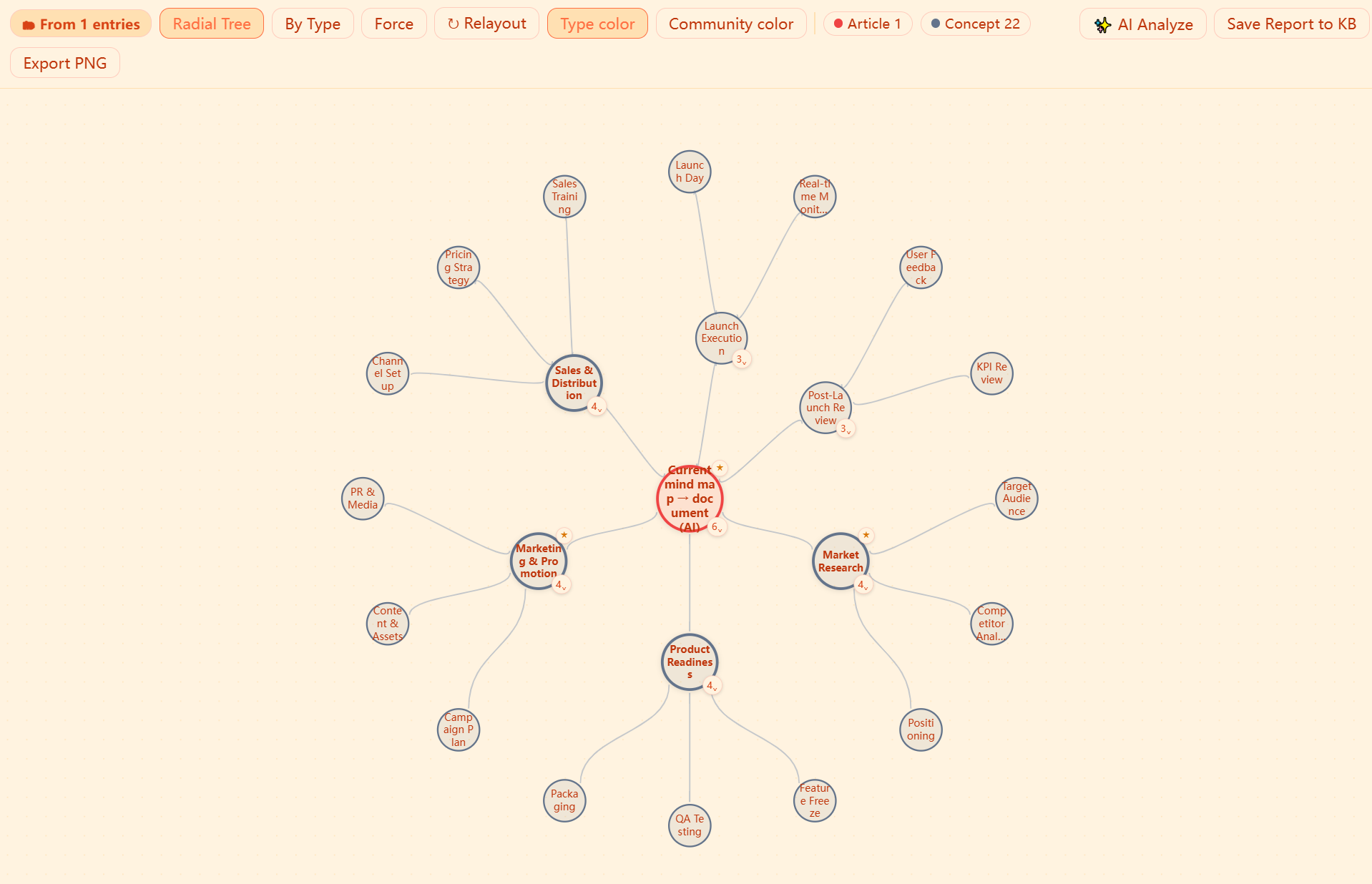
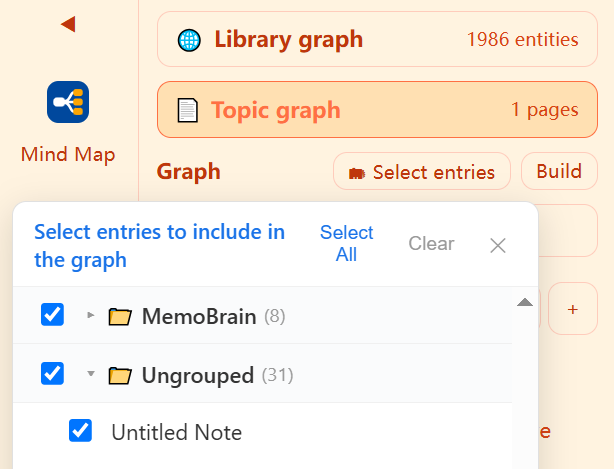
Topic graph: radial-tree layout; circle a topic and related entities gather into a subgraph (1 source · 1 map · 30 concepts)
Pick entries to include in the graph: check folders and notes, then build in one click
Knowledge GraphKnowledge takes shape
03One-click expand to a mind map

Pick a subgraph · land it as an editable map page

A selected subgraph expands into an editable map page; AI can also summarize topics as maps, flows or architecture.

Explore the knowledge graph
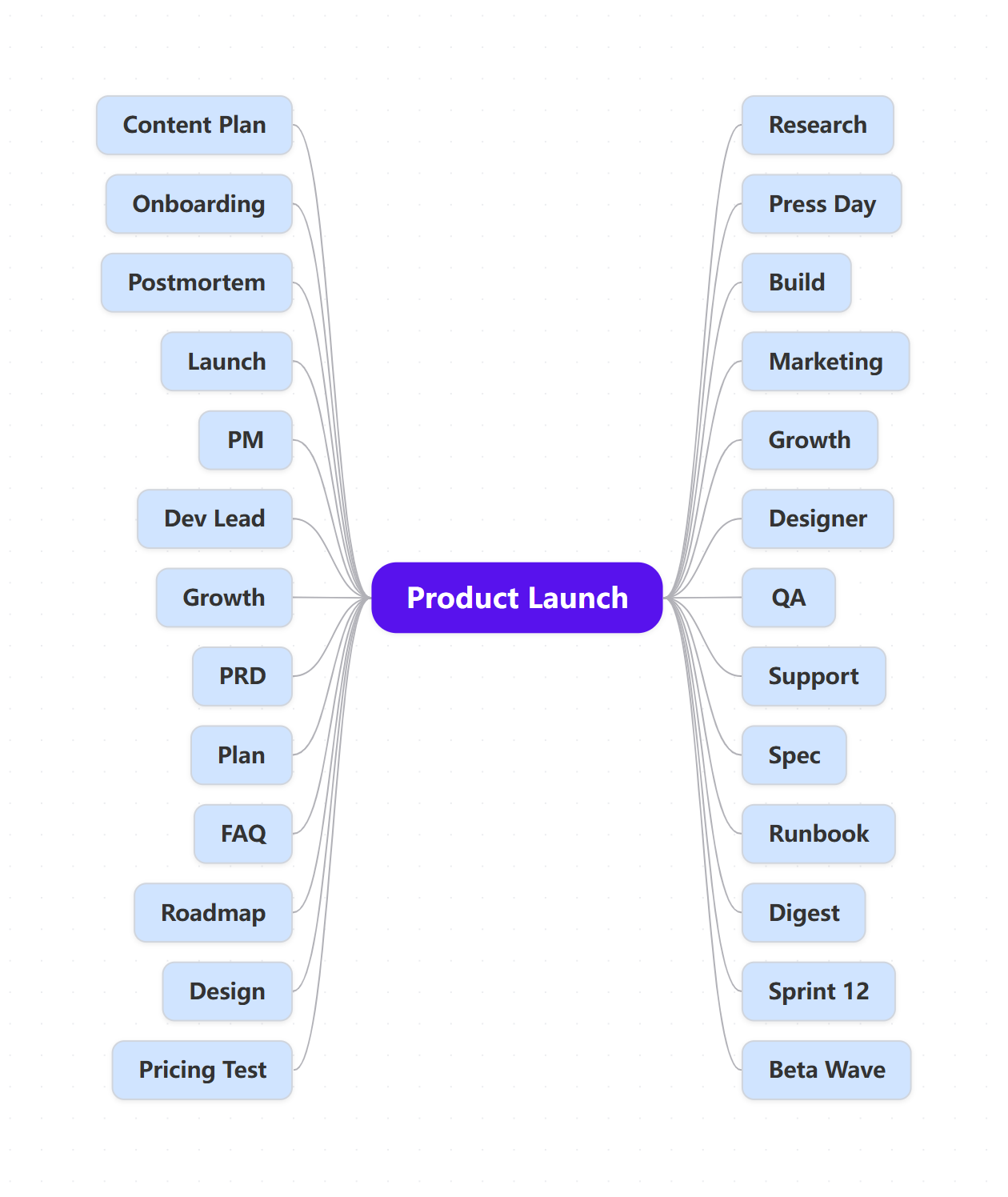
A subgraph expanded into a mind-map page: the Product Launch root with its 26 leaves spread across both sides, ready to keep editing

Where other tools stop at the drawing, we begin
A finished diagram is just the start

Draw a diagramMind map / flow / architecture
Save to the libraryOne click · auto Markdown
Grow the knowledge graphBuilt across your library
Pick a topicA subgraph emerges
AI sums up a new diagramA map, flow or architecture again

Made by machine,
looks hand-made

Switch any diagram to hand-drawn strokes — wobbly borders, handwriting type. Reports, slides and posts that don’t look machine-stamped.
6 hand-drawn themes Per-page toggle Exports match Mind maps · flow · architecture
MemoBrain · Hand-drawn
One map, two styles: rounded cards with smooth lines on the left, hand-drawn double-stroke borders and handwritten type on the right

Same map: normal left · hand-drawn rightCanvas settings · hand-drawn themes

29 layoutsOne-click mind-map relayout
Zero crossingsOne-click flowchart tidy-up
7 familiesArchitecture views covered
13 formatsImport into the knowledge base
7 formatsExport & deliver
LocalYour data stays yours

Now, hand today’s work to AI

Start free — the first diagram is one sentence away.

Local data · Works offline